 Creating Web Content Using Forms
The Web Page Composer contains editors that you can use to create different types of Web content, such as articles or link lists, with the help of forms. Depending on the Web content type definition, the editor contains different elements (for example, input fields specific for a certain Web content type). Regardless of the type of the Web content, the editor consists of content and document properties screen areas. The content screen area contains the fields that are displayed at runtime, whereas the document properties screen area is used for specifying the content metadata.
The Web content editor has the following screen areas:
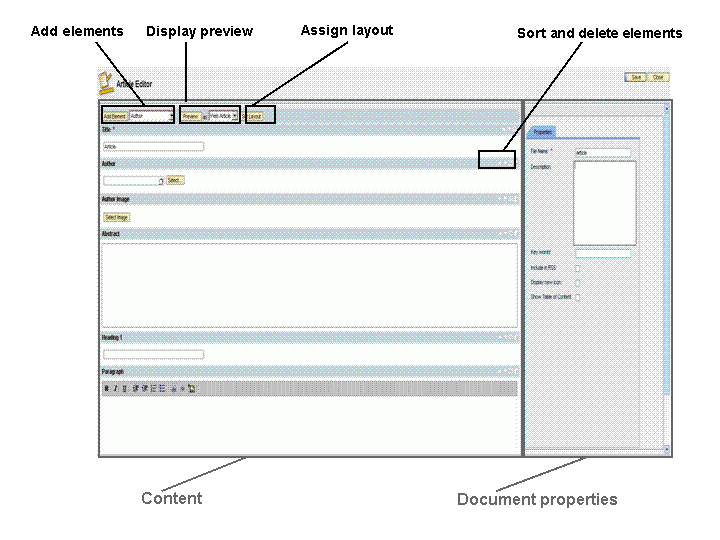
Web Content Editor Screen Areas
Procedure
Enter the content on the left-hand side of the screen.
Optional: Add additional elements.
The Web content type determines which elements you can add, if any.
Optional: Rearrange elements and delete the elements you do not need.
The table below explains the available actions:
Action
Description
 (Move element up)
Moves the element one position up
 (Move element down)
Moves the element one position down
 (Expand and Collapse)
Minimizes or maximizes the element depending on its initial state.
Expanding and collapsing elements has no effect on the display of elements at runtime.
 (Delete element)
Deletes the element
Optional: Display a preview.
If your administrator has defined multiple layouts for the Web content type in question, you can select the layout that you want to use for the preview.
Optional: Set the layout to be rendered at runtime.
Create document properties.
Document properties are metadata. They contain information about the item and help to organize the content.