 List Line Output Options
There are two ways to define output options for a line:
Place your cursor on the line in question and depress the right mouse button. The following context menu appears:
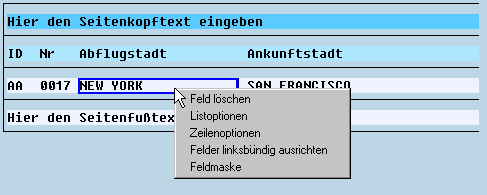
Choose Line options and maintain your line options in the lower left window.
Or:
Double-click on an empty segment of the line (next to the list field). Those options that can be changed are now displayed in the lower left window on your screen.
More Information
For more information on line options, see the following sections: