 Protecting Access to the File System Using Logical Path and File Names
Some application programs allow access to files that are stored on the application or file servers in the network, and some of these programs allow the users to enter a logical or physical file name in their user interface. Unless some restrictions are made, this could lead to a user being able to access files in an area of the file system for the application server that is not intended for application files. This could result from a mistake, or it might be an intentional attack. Therefore, it makes sense for the program to check every access to files on the application server.
Identifying Affected Programs
The following graphic demonstrates the previous access procedure using the example program SAVE_PICTURES:
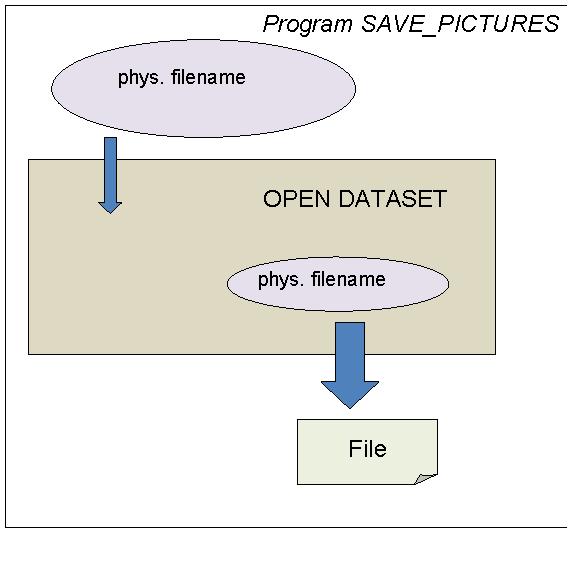
Example Program SAVE_PICTURES
To assist in protecting access to the file system, the application programs that access the file system in AS ABAP programs have been identified. A logical file name has been defined for each of these programs and stored in a Customizing table. The system checks this logical file name at runtime when access to the file system is requested.
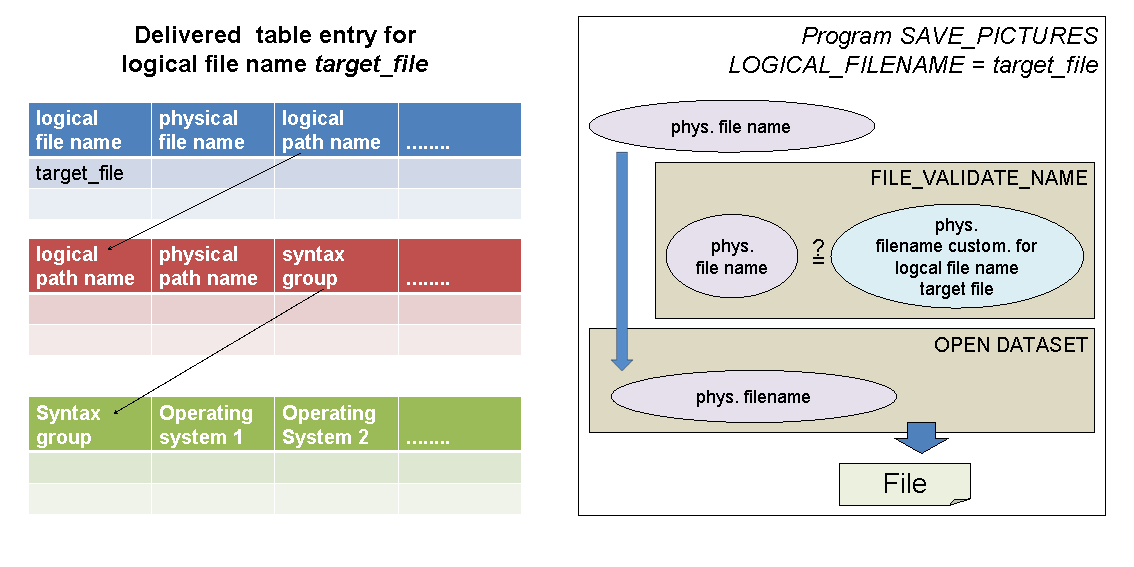
Structure of Logical File Names for SAVE_PICTURES
Activating the Check by Maintaining the Customizing Tables
Once you have determined which paths and files you use in your applications, activate the check by maintaining the corresponding physical paths and filenames in the Customizing table. By maintaining this information, you activate the check procedure, which is then called at runtime before the file can actually be accessed.
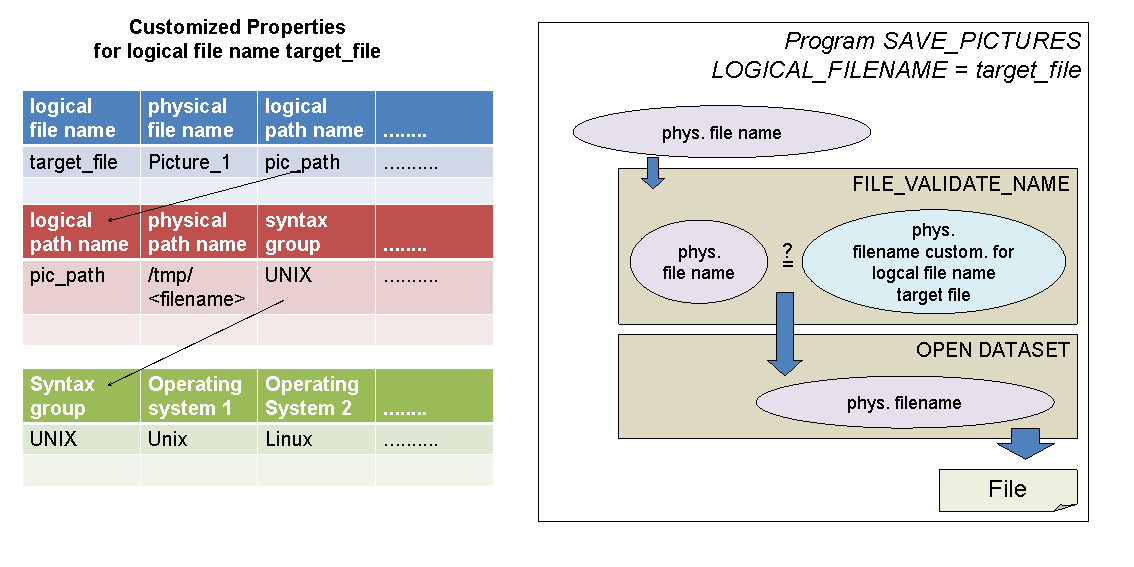
Customizing Table Maintained for SAVE_PICTURES
Maintain the local file or path data using the transactions FILE and SFIL or by using the IMG activity  Application Server
  System Administration Logical
File Names
System Administration Logical
File Names  .
.
The necessary information for the logical file name of a specific program delivered by SAP is stored in the table using transaction FILE. Use transaction SFIL to redefine this data in a client-specific way.
Recommended Procedure for Setting Up Secure Access
We recommend configuring all logical paths delivered for file name validation. For applications or integration scenarios you are not using, assign a physical path for which the application server user is not authorized to use. Alternatively, create a logical file name using a physical path that the application server user is not authorized to use, and assign this logical file name as an alias to all validation file names, which should not be used in your system.
Run report RSFILENA to check for any unconfigured logical file names. This report is also available in the Implementation Guide (IMG) at SAP Customizing Implementation Guide SAP NetWeaver
Application Server System Administration Platform-Independent File Names Run Analysis .
You can activate the security audit öog and configure it to record access to the file system. Let the application programs run for a while in “unchecked” mode and then evaluate the access paths that are recorded by the security audit log. If you can see where the users of your system store their data, you can maintain the corresponding paths in the Customizing table and then activate the check to allow access to these paths only.
More Information
SAP Note 1497003