 Deploying the Converter Web Service Client
To consume the Web service, you have to deploy the Web service proxy and client application on an application server.
Prerequisites
The application server is running.
Procedure
In the Project Explorer, choose converterwebear.
Right click the EAR module and then choose
 Development Component
  Build
Build  .
.On the Build DCs window that opens, choose Select All, and then choose OK.
Choose
Window Show View Servers .On the Servers tab page, right click SAP Server, and then choose Add and Remove Projects.
From the list of available projects, choose converterwebear, and then choose Add.
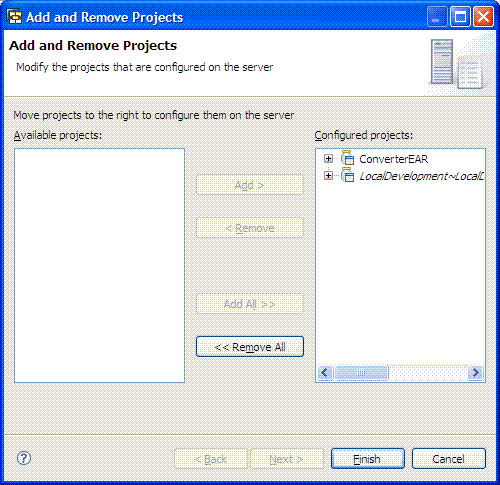
Choose Finish.
If prompted, log on to the application server as Administrator.
Result
The Web service proxy and client application are on the application server.