 Creating Page with Flow Logic corder.htm

Creating Page with Flow Logic corder.htm
Use
Similar to tutorial
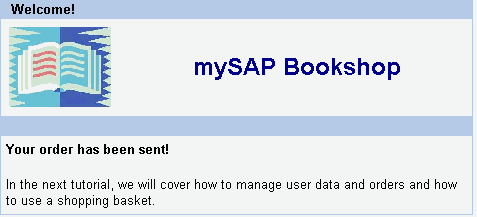
Our First Online Bookshop a confirmation page should be displayed when the user clicks on Order this book in the detail display of the book.This is however only a dummy confirmation page since user and shopping basket administration have not yet been implemented in this tutorial.
Procedure
Create the page with flow logic. From the Properties index card, choose Page with Flow Logic.
Code the layout as follows:
|
<%@page language="abap" %> <%@extension name="htmlb" prefix="htmlb" %> <htmlb:content id="ComponentTest" > <htmlb:page title="BSP with MVC: Bookshop Tutorial" > <%@include file="head.htm" %> <htmlb:group bodyColor = "Whitesmoke" width = "100%" > <htmlb:groupBody> <htmlb:textView wrapping = "TRUE" width = "50%" design = "EMPHASIZED" layout = "PARAGRAPH" text = "Your order has been sent! <br>In the next tutorial, we will cover how to manage user data and orders and how to use a shopping basket." /> </htmlb:groupBody> </htmlb:group> </htmlb:page> </htmlb:content> |
Result
You have created the online bookshop with MVC and HTMLB and can now test it.
If you have not yet done the additional task with custom-rendering the results table, you can process this now:
Processing Custom Rendering for the Author Column.