 Importing a MIME Object from the MIME Repository

Importing a MIME Object from the MIME Repository
Procedure
To import a MIME object from your local PC into the MIME repository, follow these steps.
The MIME Repository opens in the left-hand navigation frame.
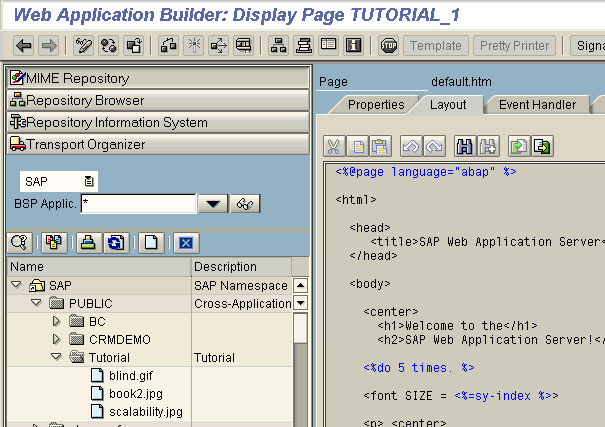

 . .
. .You have now imported the picture into the MIME repository. The picture file appears in the navigation tree under your BSP application.
Now you can use the following code to include the picture in your page:
<img src="yourpicture.jpg">
 to close the MIME repository.
This takes you back to your BSP.
Result
Now that your picture is in the MIME repository, you can use it in BSPs, as described in
Inserting a Picture.