 Defining Page Attributes for the Results List

Defining Page Attributes for the Results List
Use
You need various page attributes in the
results.htm page:Procedure
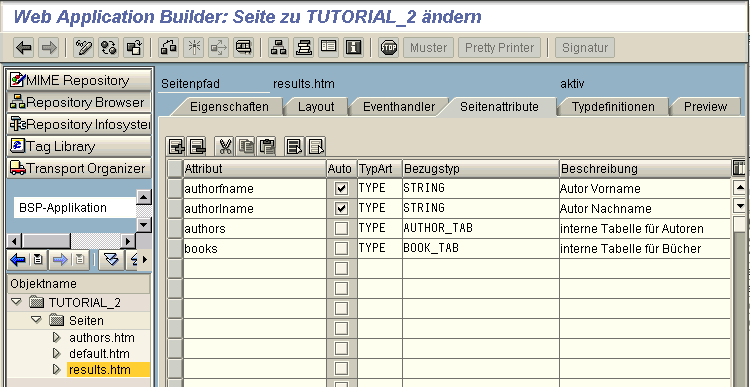
The
authorfname and authorlname page attributes are selected automatically, because they are transferred from the default.htm page:The internal
authors and books tables contain the authors and the books.Result
You have now created your second basic BSP application.
Once you have activated all the BSPs and the BSP application itself (
Activating BSPs and BSP Applications), call them in the Web browser as described in the section Calling BSP Applications in the first tutorial.
Want more information?
