Set up SAP APO Core Interface (APO-CIF)
Prerequisites
In addition to SAP ECC, a Plug-In must be installed. The Plug-In includes the SAP APO Core Interface (APO-CIF or CIF) which is used to transfer master data such as plants and products from SAP ECC to SAP APO.
For information on the SAP APO Core Interface, see the following
documentation in the SAP Library for SAP Supply Chain Management (SAP SCM)
under  SAP Advanced Planning and Optimization
(SAP APO)
SAP Advanced Planning and Optimization
(SAP APO)  Integration via APO Core Interface
(CIF)
Integration via APO Core Interface
(CIF)  .
.
Procedure
In SAP ECC
 Note
Note
To call up the APO-CIF menu choose Logistics Central Functions
Supply Chain Planning Interface Core
Interface Advnaced Planner and Optimizer .
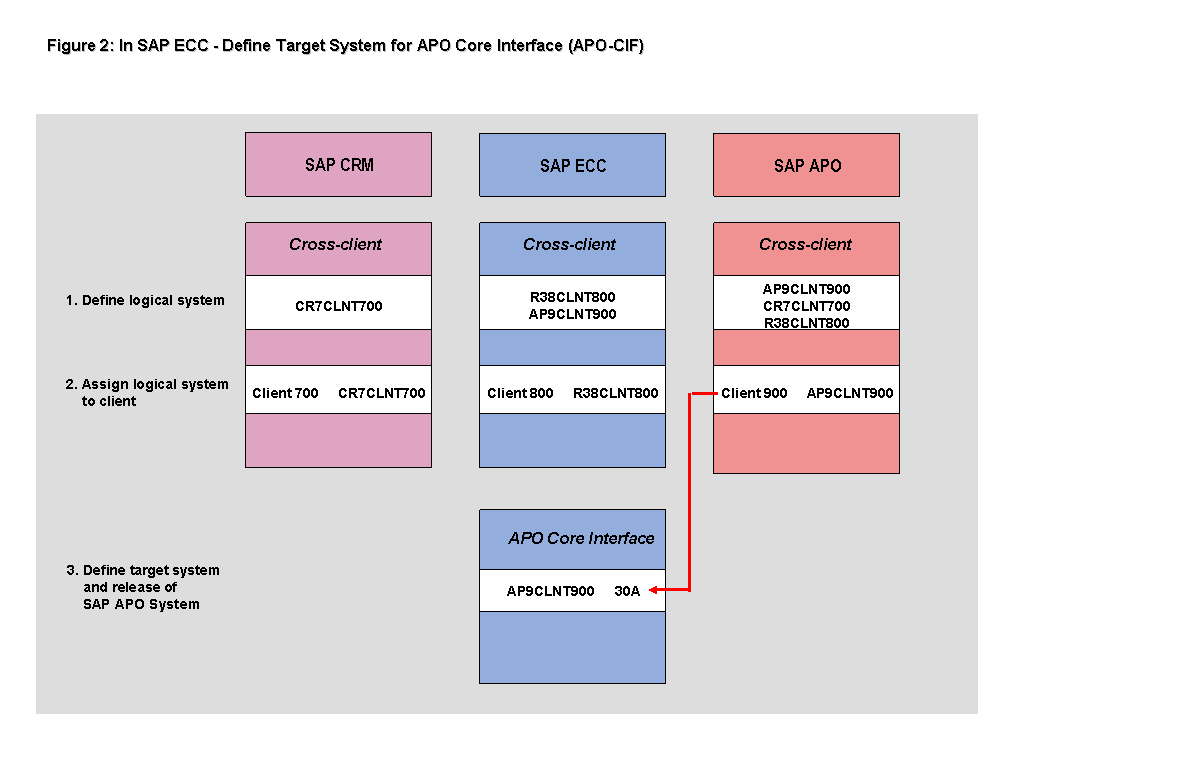
Define target systems.
NoteIf you are using APO-CIF PlugIn Releases before Release 2000, you need to maintain the OpMode field.
In the CIF menu choose
Settings RFC Destinations
.End of the note.Log. System
OpMode
AP9CLNT900
T
This table is cross-client.
Define SAP APO Releases.
In the CIF Menu choose
Settings APO
Releases .Log. System
Syst.Type
Release
AP9CLNT900
SAP_APO
30A
Figure 2 illustrates how the logical system is defined as the target system for SAP APO:
In SAP APO
 Caution
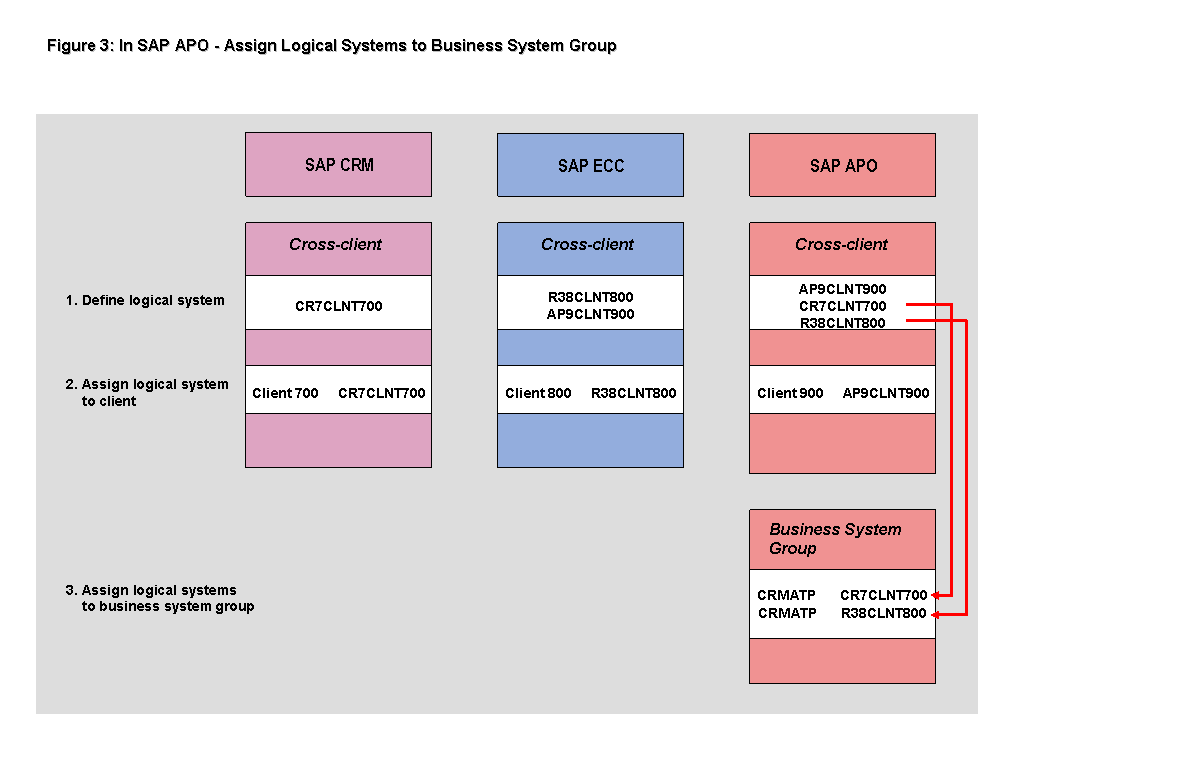
Before the first transfer of master data takes place from SAP ECC to SAP APO, make sure that the logical systems of SAP CRM and SAP ECC are both in the same business system group.
When setting up the business system group, note that the service resource planning also uses functions in SAP APO.
Maintain business system group.
In Customizing choose
Integration With SAP Components
Integration via APO Core Interface (CIF) Basic
Settings for Creating the System Landscape Maintain
Business System Group .BusSystGrp
Description
CRMATP
CRM ATP
Assign logical systems to business system group.
In Customizing for APO choose
Integration With
SAP Components Integration via APO Core Interface
(CIF) Basic Settings for Creating the System
Landscape Assign Logical System and Queue Type
.BusSystGrp
Log.System
R/3 Flag
SAP Rel.
CRMATP
CR7CLNT700
X
46C
CRMATP
R38CLNT800
X
46C
Figure 3 illustrates how the logical systems of SAP CRM and SAP ECC are assigned to the same business system group in SAP APO: