 Chart Type
Indicates how data is depicted in the graph.
Structure
The following chart types are supported in Mobile Sales.
Column chart
A column chart depicts data as vertical columns. You can use column charts for comparing data.
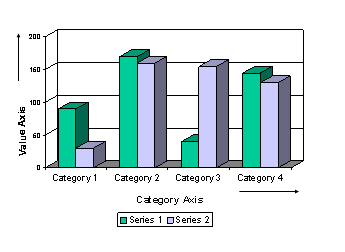
Example of Column Chart
A column chart has the value axis as the Y-axis and the category axis as the X-axis. It can have multiple data series, which are either plotted by splitting the category axis into subcategories or by plotting a set of values for the same category axis.
Bar chart
A bar chart depicts data as horizontal bars. You can use bar charts for comparing data.
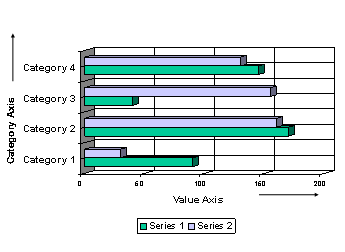
Example of Bar Chart
A bar chart has the category axis as the Y-axis and the value axis as the X-axis. It can have multiple data series, which are either plotted by splitting the category axis into subcategories or by plotting a set of values for the same category axis.
Line chart
A line chart depicts data as lines that join points representing individual values. Line charts help compare data over time against a common scale and are ideal for showing trends. They are especially effective for comparing highs and lows in a continuum.
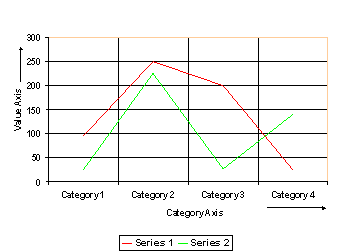
Example of Line Chart
A line chart has the value axis as the Y-axis and the category axis as the X-axis. It can have multiple data series, which are either plotted by splitting the category axis into subcategories or by plotting a set of values for the same category axis.
Profile chart
A profile chart depicts data as lines that join points representing individual values. It is the same as a line chart, but rotated 90 degrees clockwise.
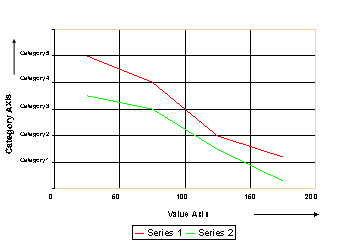
Example of Profile Chart
A profile chart can have multiple data series, which are either plotted by splitting the category axis into subcategories or by plotting a set of values for the same category axis.
Pie chart
A pie chart depicts data as segments of a circle. Each segment represents the proportion that a value bears in relation to the sum of all the values. It shows only one data series and can help emphasize the relative significance of individual values.
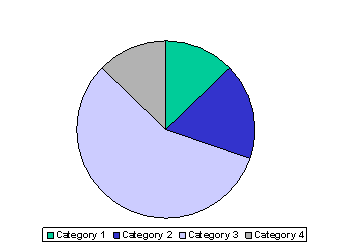
Example of Pie Chart
Stacked column chart
A stacked column chart depicts data in the form of segmented vertical bars. It is the same as a column chart, except that the data series appear stacked vertically in columns rather than as individual columns.
Such charts help us understand the relative significance of individual values.

Example of Stacked Column Chart
A stacked column chart has the value axis as the Y-axis and the category axis as the X-axis.
Stacked bar chart
A stacked bar chart depicts data in the form of segmented horizontal bars. It is the same as a bar chart, except that the data series appear stacked horizontally in bars rather than as individual bars.
Such charts help understand the relative significance of individual values.
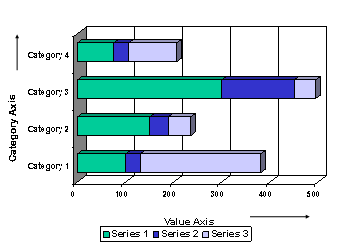
Example of Stacked Bar Chart
A stacked bar chart has the category axis as the Y-axis and the value axis as the X-axis. It can have multiple data series, which are either plotted by splitting the category axis into subcategories or by plotting a set of values for the same category axis.
Area chart
An area chart is similar to a line chart, except that the area under the plotted line is filled. By displaying the sum of plotted values, an area chart can show the relationship of parts to a whole. Consequently, area charts are particularly useful for emphasizing the magnitude of change over time.
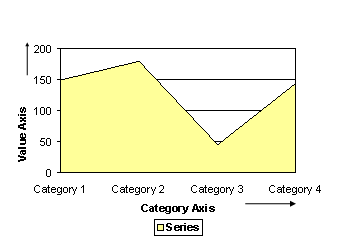
Example of Area Chart
An area chart has the value axis as the Y-axis and the category axis as the X-axis. It can also have multiple data series, which are either plotted by splitting the category axis into subcategories or by plotting a set of values for the same category axis.