 Example 1: Calculation of the Commitment Date
The system calculates the posting date of the busines transaction plus the agreed delivery time. The system then calculates the commitment date based on the result and the setting in Customizing in the
Commitment Date
field:
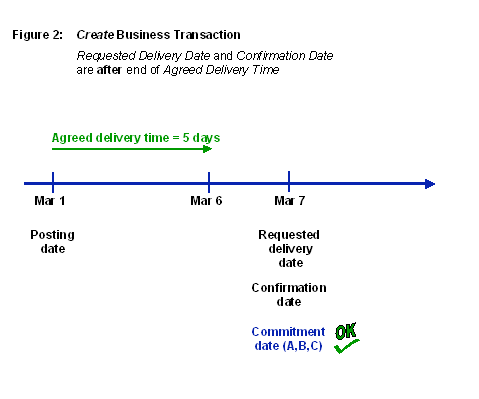
Figure 2 shows the results when you create the business transaction
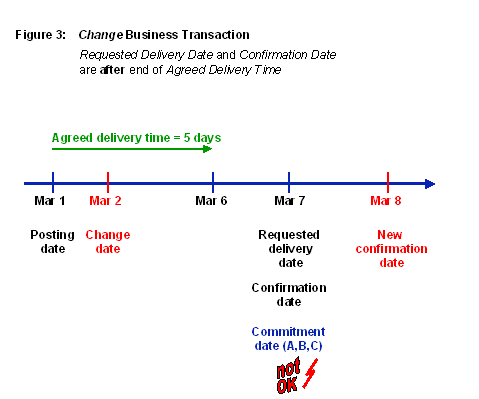
Figure 3 shows the results when you change the business transaction
When You Create the Business Transaction
The requested delivery date is
after
the end of the agreed delivery time. Therefore, the system takes the requested delivery date as the commitment date, regardless of the setting in the
Commitment Date
field in Customizing (see Figure 2).
For
Commitment Date
=
A,
B
or
C
, the requested delivery date (March 7) is the commitment date.
When You Change the Business Transaction
As before, the requested delivery date is
after
the end of the agreed delivery time. Therefore, the system takes the requested delivery date as the commitment date, regardless of the setting in the
Commitment Date
field in Customizing (see Figure 3).
For
Commitment Date
=
A,
B
or
C
, the requested delivery date (March 7) is the commitment date (remains unchanged, even though there is a new confirmation date).
 Note
Note
Note that in Figure 2 the commitment date comes before the new confirmation date. Therefore, you have a problem with fulfilling your promise to deliver to the customer on time.