
 AbstractPopin Properties

Properties in View Designer
● accessibilityDescription
Once you have activated accessibility, the assigned text is added to the quick info. This description provides semantic details of the UI element and is only read by the screen reader if the user focuses the complete Ul element.
This property can be personalized by an administrator.
● design
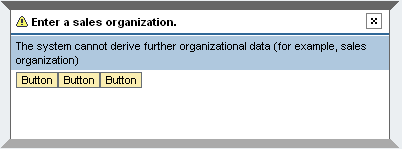
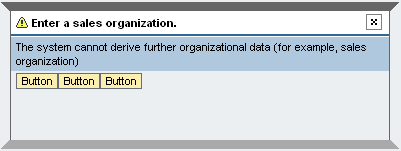
Popin display.
This property can be personalized by an administrator.
Value |
Visual Display |
Description |
fill |
|
Displayed with background color |
plain |
|
Displayed without background color |
transparent |
|
Displayed with the same background color as the surrounding layout |

● hasContentPadding
Specifies whether or not it is possible to insert padding between content and UI element borders.
● titleDesign
Title display.
This property can be personalized by an administrator.
Value |
Visual Display |
Description |
critical |
|
Displays with a critical message icon |
error |
|
Displays with an error/stop message icon |
ok |
|
Displays with an OK message icon |
Text |
|
Displays as a simple text without a message icon |




● titleText
Label text for the heading.
This property can be personalized by an administrator.