TextEdit Properties

Properties in the View Designer
● activateAccessKey
Activation of access keys.
This property can be personalized both by a user and by an administrator.
● cols
Width of the TextEdit UI element as a number of characters.

Note that the cols property can be overridden by the width property.
This property can be personalized by an administrator.
● explanation
Help text that is displayed when the help mode is activated.
More information: Help Texts for Web Dynpro Applications
This property can be personalized by an administrator.
● height
Height of the UI element; see also Methods and Properties of UI Elements.
Note that this property can be overridden by the rows property.
This property can be personalized by an administrator.
● imeMode
Control of the frontend IMS mode.
IME (Input Method Editor) is a basic component for writing Chinese, Japanese, and Korean characters. This system of writing has more characters than could be keyed in using a normal (restricted) keyboard. IME enables users to key in and edit Chinese, Japanese, and Korean characters using a normal (restricted) keyboard.
The following values are possible:
Value |
Description |
active |
IME mode is active but can be deactivated |
auto |
IME mode setting is disregarded |
disabled |
IME mode is inactive but cannot be activated |
inactive |
IME mode is inactive but can be activated |
● readOnly
Specifies whether the user can edit text in the TextEdit or whether it is to be displayed as read-only.
This property can be personalized
by an administrator.
In personalization, this property can be assigned the value true
● rows
Height of the TextEdit UI element as a number of lines.
Note that this property can be overridden by the height property.
This property can be personalized by an administrator.
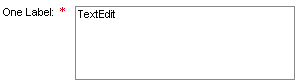
● state
Input status of the UI element.
This property can be personalized by an administrator.
Value |
Visual Display |
Description |
Can be set using personalization |
normal |
|
Normal status of the interface element |
No |
required |
|
The value must be entered |
Yes |
● textDirection
Text or writing direction.
This enables labels of interface elements to be read in languages that have an RTL writing direction, such as Hebrew and Arabic, as opposed to LTR (left to right) such as English.
This property can be personalized by an administrator.
Value |
Description |
Can be set using personalization |
INHERIT |
The text direction is inherited from the parent element. Therefore, the text direction is identical to that of the parent element. |
Yes |
LTR |
Left to right text direction |
Yes |
RTL |
Right to left text direction |
Yes |
● value
Text to be displayed. The text can be edited.
The attribute to be bound can be of type STRING or STRING_TABLE. With STRING_TABLE rows from TextEdit are stored as table rows. A line break is always stored as a line feed in a STRING (CL_ABAP_CHAR_UTILITIES=>NEWLINE, ASCII decimal 10). The Web Dynpro framework carries out the conversion for the client platform.
Note that a string to be displayed in TextEdit, must only use a line feed as a line break.
This property can be personalized both by a user and by an administrator. You can also predefine values; refer to Methods and Properties of UI Elements.
● width
Width of the interface element, specified in CSS sizes, such as em, ex, pixel, or percent. See also Methods and Properties of UI Elements.
Note that this property overrides the cols property.
This property can be personalized by an administrator.
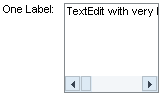
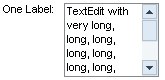
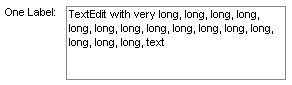
● wrapping
Specifies whether or not the texts can be wrapped to the next line.
This property can be personalized by an administrator.
Value |
Visual Display |
Description |
Can be set using personalization |
off |
|
The text is not wrapped. If the text row length exceeds the width specified by property col, a horizontal scroll bar is displayed. |
Yes |
hard |
|
Wraps the text if the value specified by property col is reached. A carriage return is inserted for each wrapping. A horizontal scroll bar is not displayed for this value.
Note that this feature is not supported in the browser. |
Yes |
soft |
|
Wraps the text if the value specified by attribute col is reached. A carriage return is not inserted for each wrapping. |
Yes |