
 Change to Budget Billing Plan

Purpose
You can use this business process to change the budget billing plan in the Interaction Center (IC) Web Client of a utility company. This can take place by changing the budget billing amount or the meter reading.
You can use this process to change budget billing plans that belong to category Statisitcal Budget Billing Procedure or category Partial Invoicing Procedure.
Process Flow
The business process runs as follows:
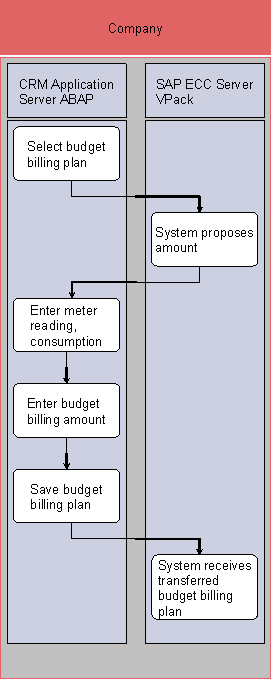
1. Select budget billing plan (SAP CRM)
2. System proposes amount (SAP IS-U)
3. Enter meter reading, consumption (SAP CRM)
4. Enter budget billing amount (SAP CRM)
5. Save budget billing plan (SAP CRM)
6. System receives transferred budget billing plan (SAP IS-U)
Result
You have changed the budget billing plan.