
 Entering Meter Readings

Purpose
You can use this business process to enter, check, and save the current meter reading for the register of a device in the Interaction Center (IC) Web Client of a utility company. The meter reading is determined from the account. This is the case, for example, if an account cannot be accessed by a field sales representative during meter reading.
Process Flow
The business process runs as follows:
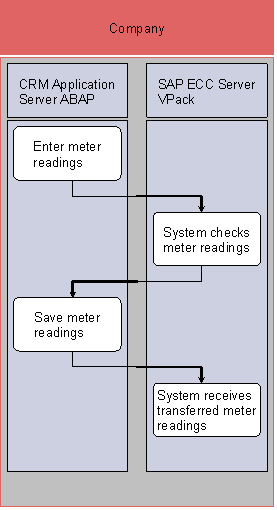
1. Enter meter reading (SAP CRM)
2. System checks meter reading (SAP ERP)
3. Save meter reading (SAP CRM)
4. System receives transferred data (SAP ERP)
Result
You have entered, checked, and saved the current meter reading.