
 Managing Processing Locks in Interaction
Center
Managing Processing Locks in Interaction
Center

Purpose
The Interaction Center agent can use this business process in order to set processing locks for document items in the account balance for an account for certain business transactions, so that they are excluded from further processing until a certain condition applies. The agent can also change and delete locks.
Process Flow
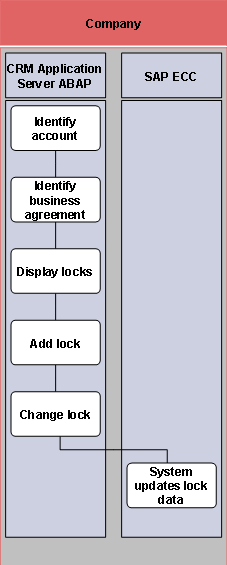
The business process consists of the following steps:
...
1. Identify account (SAP CRM)
2. Identify business agreement (SAP CRM)
3. Display locks (SAP CRM)
4. Add lock (SAP CRM)
5. Change lock (SAP CRM)
6. System updates lock data (SAP ECC)