
 Bill
Information and Bill Correction
Bill
Information and Bill Correction

Purpose
You can use this business process to add information to a bill and to correct it if the meter reading is incorrect.
Process Flow
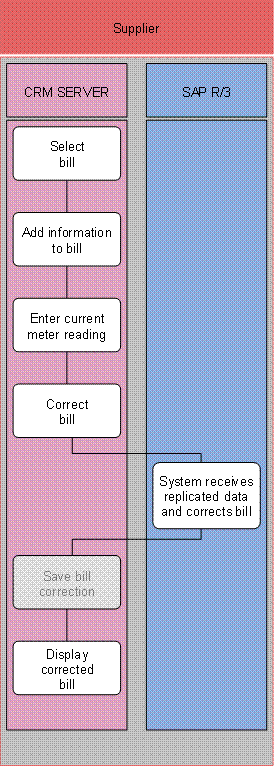
1. Select bill (SAP CRM)
2. Add information to bill (SAP CRM)
3. Enter current meter reading (SAP CRM)
4. Correct bill (SAP CRM)
5. System receives replicated data and corrects bill (SAP R/3)
SAP IS-U/CCS receives the changed data from SAP CRM.
6. Save bill correction (SAP CRM)
The data is saved automatically when the new bill is created. Therefore, this step is no longer required.
7. Display corrected bill (SAP CRM)
Result
You have changed the meter reading for an existing bill and created the corrected bill.