
Result of the Web Dynpro OBN Tutorial 
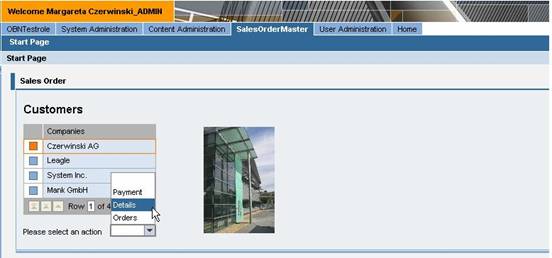
The start page of the Web Dynpro application in the SAP Enterprise Portal now allows you to select a company from the table. You will receive the data for this company when you continue on in the application.

The next screen shows the function of the Dropdown box. You can choose – in this example – between the options Payment, Details, and Orders. After the selection, you navigate to another view that is assigned to the object selection. In this example, the user wishes to see the details of the company called Czerwinski AG. The individual operations are linked to the dropdown box entries. When you select the box entry, the parameter that contains the company name is passed to the next view.
On the target page, the data belonging to the company is displayed to you. This data changes in this example for each respective company. This happens when you select parameters and operate the Select function. You can design the views in different ways.
