ViewSwitch

To be used only by the Pattern and Portal Platform group. Use by other applications and customers WILL NOT BE SUPPORTED! Should only be used for Work Center / Control Center applications.
Definition
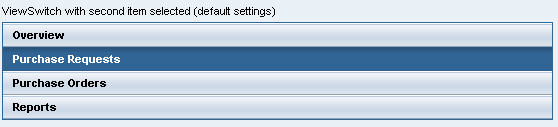
A ViewSwitch UI element is part of the ContextualPanel and should be used to navigate between views.
Description of UI Element Properties
· itemEnabled
specifies whether the item is enabled or disabled, that is, whether the user can trigger an action by clicking the item in question.
· itemSource
specifies the item source of the ViewSwitch. You can use this to specify the path to the context node, where you can define the items.
· itemText
specifies the text for the item in question.
· itemVisible
specifies whether the item is visible.
Properties Overview
Name |
Interface |
Type |
Initial Value |
Bindable |
Value Required |
itemEnabled |
IWDViewSwitch |
boolean |
true |
bindable |
No |
itemSource |
IWDViewSwitch |
Object |
|
bindable_mandatory |
Yes |
itemText |
IWDViewSwitch |
String |
|
bindable |
No |
itemVisible |
IWDViewSwitch |
boolean |
true |
bindable |
No |
Events
● onSelect (int index)
The onSelect event is triggered when the user selects a ViewSwitch item. Event parameter is the zero based index of the selected item.
Data Binding
...
1. To bind the data of the ViewSwitch create a context node and the following attributes:

2. Bind the property itemSource to the context node and bind the properties itemEnabled, itemText and itemVisible to the corresponding context attributes.
3. To create and add itemSource elements, add the following source code to the wdDoInit method:
wdDoInit() |
|
1
2
|
for(int i =0; i<3; i++) {
IPrivatePatternUIElementsView.IItemSourceElement ivse = |
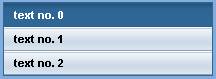
In this example, the ViewSwitch would look like the screenshot below: