
 Processing Move-Out
Purpose
You can use this business process to create a move-out in the Interaction Center (IC) Web Client of a utility company.
Process Flow
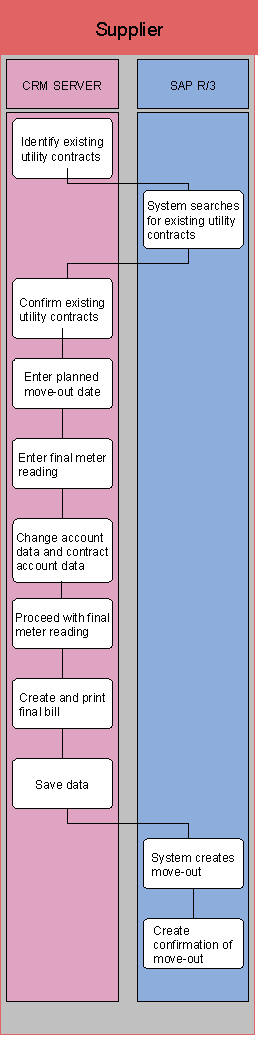
The business process runs as follows:
...
1. Identify existing utility contracts
2.
System searches for
existing utility contacts
Existing utility contracts are searched for in SAP IS-U.
3.
Confirm existing utility
contracts
You confirm the existing utility contracts displayed in SAP CRM.
4.
Enter planned move-out
date
In SAP CRM, you enter the date on which the customer wants to move out of the
premise.
5.
Enter final meter
reading
In SAP CRM, you enter the meter reading provided by the customer.
6.
Change account data and
contract account data
You enter the changes to the account data and contract account data that were
made as a result of the move-out.
7. Proceed with final meter reading
8. Create and print final bill
9. Save data
10.
System creates
move-out
A move-out is created in SAP IS-U.
11. Create confirmation of move-out