
 Billing Lighting Units
Purpose
You can use this business process to bill for public lighting (electric/gas). The following functions are available:
· Group light management
Several street lights of the same category are managed together. You can group street lights, and consider and bill them as one reference value.
· Individual light management
You can use the installation structure to map individual lights. In this case, the lights are installed in an installation as devices. These devices can be counting or non-counting devices. The flat rates defined in the facts or the consumption values per device are then billed.
A light is assigned to a customer's installation, in which all other devices are located. The reference value is allocated to a piece of equipment. This enables you to manage lighting individually because each light is allocated an address via the equipment.
· Connection loads – differentiated by operation type
You can use the burning hour calendar to observe street lighting from various operation types. Here too you can group street lighting and consider and bill it as one reference value. You can then link this reference value to the burning hour calendar. The reference value is allocated to one installation and, as a result, has one address.
· Billing using energy prices
You can measure or calculate the consumption. When making the calculation you can use a burning hour calendar, in which the daily or monthly lighting duration is stored.
· Billing using demand prices
You can determine demands from the connection loads, and can use these demands for the calculation.
Process Flow
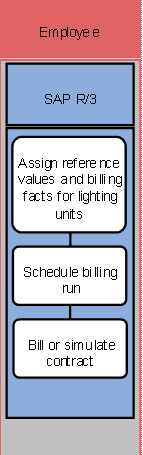
The following business process runs in SAP R/3:
1. Assign reference values and billing facts for lighting units
2. Schedule billing run
During (mass) billing, periodic work is carried out. We recommend background processing for these applications. This deals with typical work, which a company schedules, and which is executed in a batch. You can execute most mass processing processes at the same time.
3. Bill or simulate contract
When you execute contract billing, the corresponding documents are generated. When you execute a simulation, you can check the result of a later billing, without making account-based changes.