
 Deleting Index Tables for Extraction of IS-U
Print/Billing Docs
Deleting Index Tables for Extraction of IS-U
Print/Billing Docs 
Use
You can use this business process to delete extract indexes for billing documents and print documents. During data extraction, the billing documents and print documents are saved with information regarding in which extract, and up to which extract date they were processed. With this indexing, only new or changed documents are extracted during a new extraction thus helping to reduce the program runtimes.
If you want to create files for billing documents and print documents in both CSV and AIS formats, you must delete the extract index after the first extract has been created, otherwise no other documents can be extracted for the same period. By deleing the extract index, you can create an extract with the same contents but with a different format (CSV or AIS) for the same period.
Prerequisites
Billing documents and print documents must have been extracted so that the tables for the documents have been indexed.
Process Flow
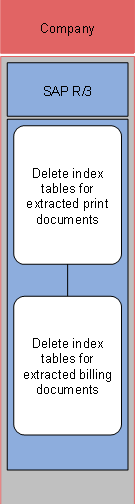
The business process runs as follows:
...
1. Delete index tables for extracted print documents
2. Delete index tables for extracted billing documents
During deletion of the document index, the system checks whether the document number entries that you want to delete index a document that has already been archived. If this is the case, the entry is not deleted as the document cannot be newly extracted.