
 Service Request Processing
Purpose
You can use this business process to enable your customers to create a service request. Having previously selected an installed base component or a product, they choose a service product and a service contract, schedule an appointment, and upload attachments. They can also monitor the status of their request.
This process reduces interaction costs and increases customer satisfaction.
Prerequisites
You have configured the ICSS Java application (using the Administration Console) and the CRM backend application for product catalog and service requests as explained in the Internet Customer Self-Service JAVA Application Installation guide.
Process Flow
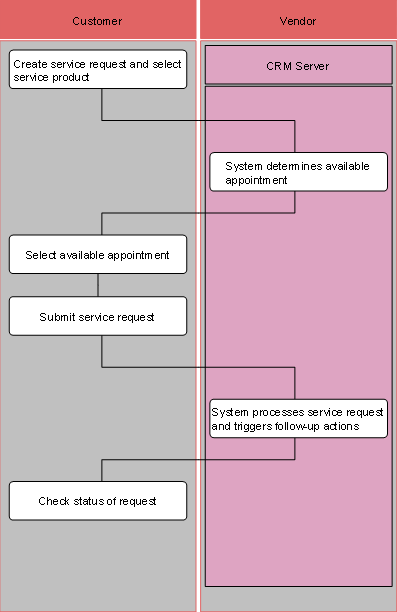
...
1. Create service request and select service product.
2.
System determines
available appointment.
Available appointments are determined through the Service Level Agreement
(SLA) within the Contract and the availability of the field service
representative.
3. Select available appointment.
4. Submit service request.
5. System processes service request and triggers follow-up actions.
6. Check status of request.