Static and Dynamic Sections in
Reports
Static and Dynamic Sections in
Reports 
A report can include static and dynamic sections. The distinctive feature of static sections is the fact that query fields can be positioned freely.
Static Section
A query (or a query view) that contains
two  structures is the
basis of a static section. There is one structure in the rows and one in the
columns. A static section is unique because you can freely position all of the
fields within the section. This is possible because each field is unique in a
static section. Thus the initial view in the Report Designer corresponds to
the executed query (query view). Each row in the executed query has one row
pattern.
structures is the
basis of a static section. There is one structure in the rows and one in the
columns. A static section is unique because you can freely position all of the
fields within the section. This is possible because each field is unique in a
static section. Thus the initial view in the Report Designer corresponds to
the executed query (query view). Each row in the executed query has one row
pattern.

A static section can also be a report section without data connection, that is, without data provider. Such sections include the Page Header and Page Footer, as well as the Report Section (for example, for inserting gaps or your own text and comments), which you can integrate into your report using the Insert menu on the menu bar of the Report Designer.
Dynamic Section
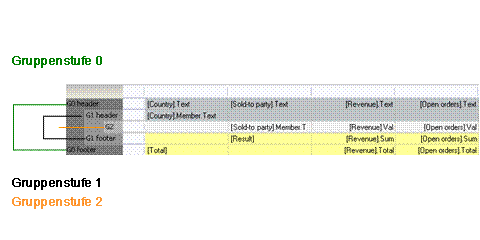
A query (or query view) forms the basis of a dynamic section that has one or more characteristics in the drilldown. This means that one or more group levels is designed for the initial view in the Report Designer. Exactly one group level exists per characteristic. Within a dynamic section, query fields can only be taken from external group levels into internal ones. In dynamic sections, the number of rows varies at runtime, while the number of columns is set.