 Defining Event Handlers for the First Page

Defining Event Handlers for the First Page
Use
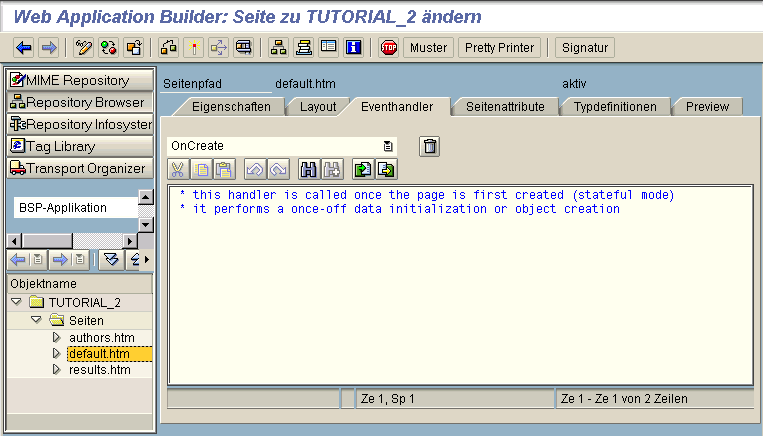
Now that you have specified the events in the layout that are executed when the user chooses certain buttons, you need to define the event handlers.
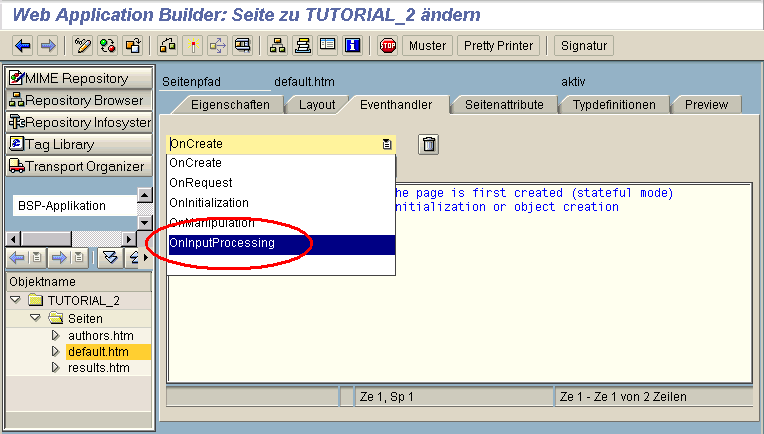
In this example you simply need the event handler for processing OnInputProcessing.
Procedure
|
case event_id. when 'select'. navigation->set_parameter( 'authorlname' ). navigation->set_parameter( 'authorfname' ). navigation->next_page( 'TORESULTS' ).
when 'authors'. navigation->next_page( 'TOAUTHORS' ).
when others. endcase. |
To execute the navigation process, use the global object
navigation (see also Object Navigation).See the interface
IF_BSP_NAVIGATION and its documentation in the Class Builder for a description of all the methods needed for navigating with this object (see also Interface IF_BSP_NAVIGATION).Now you can use a simple
case statement to assign the appropriate code to the SAP events that you defined in the layout.
The syntax rules for methods also apply to event handlers.
If the user chooses the button, Books by This Author, the
select event is triggered. This causes a navigation request TORESULTS to be executed. The appropriate page is then opened. The parameters authorlname and authorfname are assigned the surname and first name entered by the user.If, on the other hand, the user chooses the button that triggers the event
authors, the navigation request TOAUTHORS is executed and the appropriate page opens.Transferring the Page Attributes to the Next Page
The code:
navigation->set_parameter( 'authorlname' ).
navigation->set_parameter( 'authorfname' ).
ensures that the values input for first name and surname are transferred to the next page in the initialization phase. This code is an abbreviated form of the following code:
lname = request->get_form_field( 'authorlname' ).
navigation->set_parameter( name='authorlname' value = lname ).
The code can be abbreviated in this way because the form field (in the layout section) and the page parameters are specified by the same name, in this case
authorlname and authorfname.The "auto" flag must be set for the page attributes
authorlname and authorfname on the following page. This is so that you can use the variables authorlname and authorfname again (see Event Handlers for the Results List). Now define the