Settings in SAP IS-U
Purpose
There are two methods of incorporating an IS-U System in the CFS: Via remote function call (RFC) or HTTP log.
Establish RFC Connection (standard procedure)
The EWHV_RFC function module provides
data. Customizing settings for IS-U are made in the same way as those made for
the HTML customer information data selection. Choose the following in
Customizing SAP Utilities ® Customer Service ® Customer Interaction Center ® Define HTML Customer Overview.

Check the RFC connection before accessing the cross-system FS. The data selection was originally conceived
for the HTML customer information in SAP IS-U. It is now also used for the CRM
integration scenario.
Establish HTTP Connection (Optional)
You can also use the Web RFC-enabled function module EWHV_WEBRFC to access the data. To do so an SAP Internet Transaction Server (ITS) must be connected to the IS-U System. Additional information about Web RFCs is available in the ITS documentation. The following URL is used for access from the CRM system (or from a browser):http://<ITShost>:<port>/scripts/wgate/xgwfc/!?_FUNCTION=EWHV_WEBRFC&gpart=4171&view=PARTNER&~client=300
In addition to parameters that are generally valid for every Web RFC (such as ~client), the gpart and view parameters that are used to transfer the business partner number or name to HTML data selection are also available.
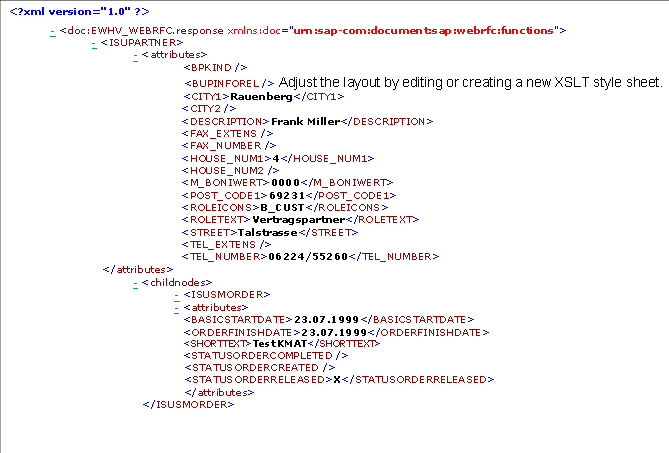
The following graphic shows XML data from an IS-U system, as it would be displayed by the RFCs in the Internet Explorer. This service is available independently of the fact sheet.