4.8 ~launch Page 
The ~launch page which is started with transaction NWBC shows all available cockpits and all roles that the user has assigned via this cockpit. Thus this ~launch page allows a user to get an overview of the available cockpits (that are active in ICF) with the specific roles that can be reached via each cockpit. Note that the availability of ~launch is controlled via the ICF node nwbc_launch. If this node is disabled in the ICF service tree, then transaction NWBC directly starts NWBC for HTML.
The launch page also offers the option to start either NWBC for Desktop for NWBC for HTML. The first icon (or the link with the leading slash) will start NWBC for HTML:
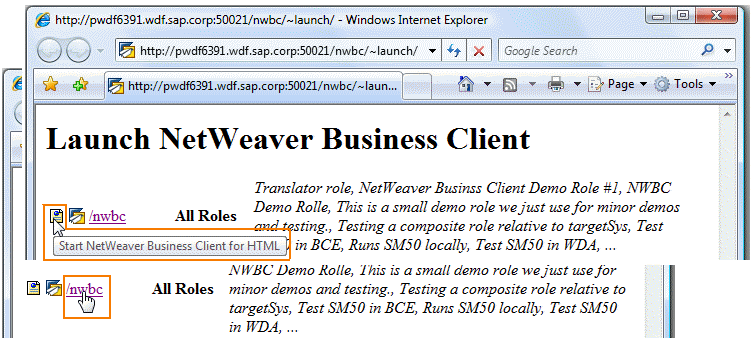 (Launch NWBC for HTML)
The second icon (or the link without leading slash) will start NWBC for the Desktop:
 (Launch NWBC for Desktop)
In addition, the launch page can have an optional link that can be customized to tell the user from where to install NWBC for Desktop. This optional link corresponds to the entry in table NWBC_CFG for INSTALL_DIRECTORY. The entry could look like this in NWBC_CFG:
Name |
Language |
Display |
Value |
|---|---|---|---|
INSTALL_DIRECTORY |
EN |
Install NWBC v3.0 from our Wiki! |
http://nwbc:1080/dl |
This corresponds to the following output in the browser:
 (Launch link)