7.1 NWBC and Authentication 
The Business Client instantiates and uses a normal Internet browser for the authentication process. The same authentication process is used in the Business Client as in the browser. The advantage of this is that all different types of authentication processes supported in the browser are also supported in the Business Client, including the use of digital certificates or other browser-based authentication systems.
 Caution
Since NWBC uses a Microsoft Internet Explorer browser to render all HTML-based canvases, all (security) settings from the Microsoft Internet Explorer also apply to all HTML content that is rendered with NWBC.
In more detail, the NWBC's approach to authentication is to load a very specific URL from the server. As a first step, a popup window is displayed that hosts an Internet Explorer (IE) control. The IE is set to load a page called ticket issuer. The first request to the server on this URL (in the browser instance) will cause the server to trigger the authentication process. There can be any number of browser-based steps to complete the authentication process, using any authentication process that the server supports for browser-based login, for example, basic authentication forms-based authentication or authentication based on digital certificates.
Once the user is authenticated, a MYSAPSSO2 cookie (logon ticket) is set by the server and the ticket issuer page is loaded. The logon ticket is absolutely required, for all further steps, as the way that NWBC will pass authentication information to all applications started. The ticket issuer page itself is just a simple page so that NWBC can recognize that the authentication process is completed and a logon ticket has been issued.
In summary, for authentication, NWBC will use a browser instance to load a simple URL. This is only done to trigger the server-configured authentication process to complete authentication itself and obtain a logon ticket. From this logon process comes the statement that NWBC supports all authentication processes that run in a browser against the server.
To test this authentication process in a browser against an ABAP server, just load this URL into the browser:
Example: https://<server>.<domain>.<ext>:<port>/sap/bc/nwbc/TicketIssuer
Observer that any form of authentication process is triggered and thereafter a simple XML page is displayed. With any HTTP trace tool it should be possible to see the logon tickets (MYSAPSSO2 cookie) within one of the last HTTP responses. Similarly, against a portal server, the ticket issuer URL is as follows:
Example: http://<server>.<domain>.<ext>:<port>/TicketIssuer/TicketIssuer
 Note
Note
NWBC does not store or persist any authentication data in any form.
Because NWBC uses a standard Internet Explorer control to run the standard browser-based logon, the logon screen in the browser and in the NWBC look exactly the same:
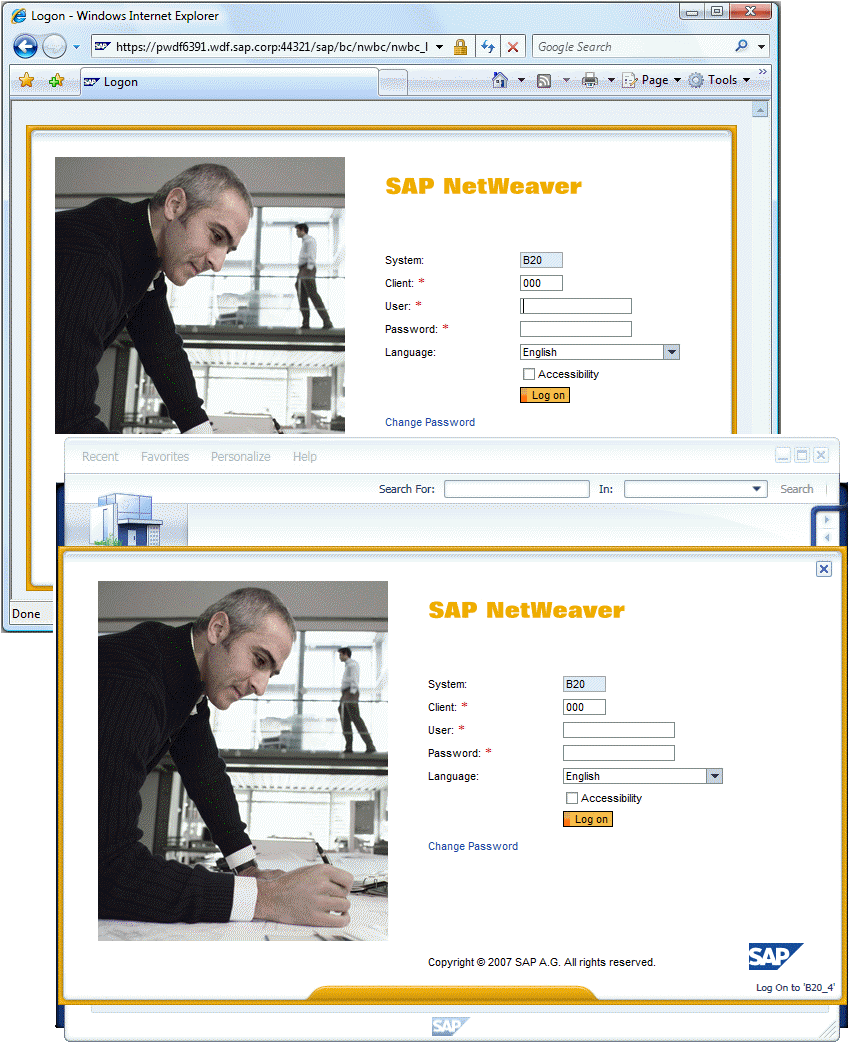 (Same logon windows in the browser and NWBC)
Caution
It is the responsibility of customers to make whatever security settings are necessary in the browser. Pay particular attention to your proxy settings. Business Client uses the security settings from the customer's browser. NWBC does not store or persist any authentication data in any form.