9.2.3 Create a Portal Page Including the WDA Portlet 
Log in to the IBM WebSphere Portal as administrator and choose Administration.
Select Manage Pages from the navigation bar on the left-hand side (section Portal User Interface) and choose Content Root.
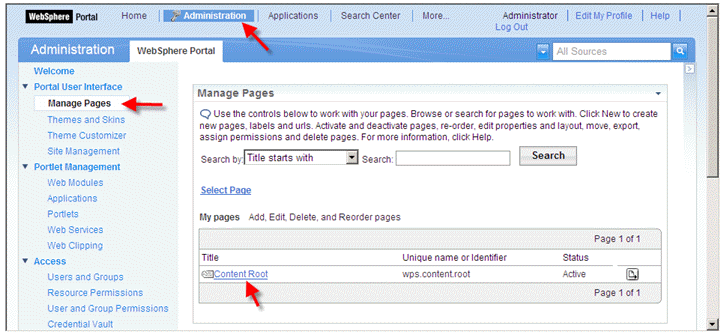 (Content Root)
To create a top-level navigation entry choose New Label.
 (New Label)
Fill in values for Title and Friendly URL name and select, for example, SingleTopNav as Theme Style and choose OK.
 (Theme Style)
Search for the newly created label and click on the title link.
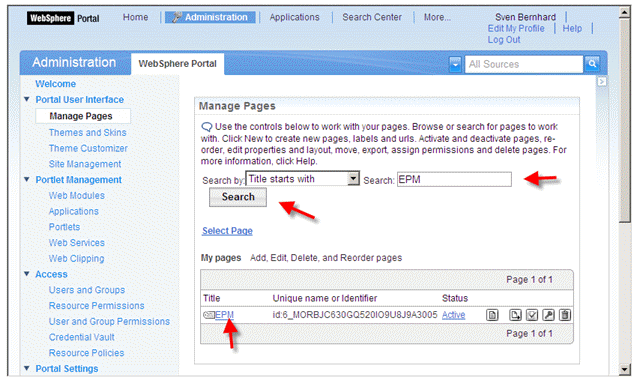 (Title link)
Choose New Page to create a new page to include the portlet.
 (New Page)
Create a page for the purchase order worklist: Fill in values for Title, Unique Name, Friendly URL name and select, for example, SingleTopNav as Theme Style and choose OK.
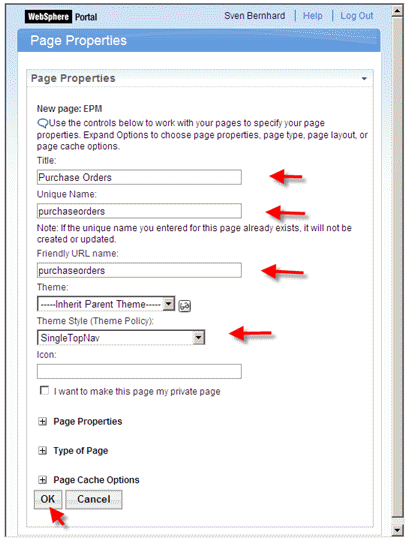 (Theme Style)
Choose Edit Page Layout for the newly created page.
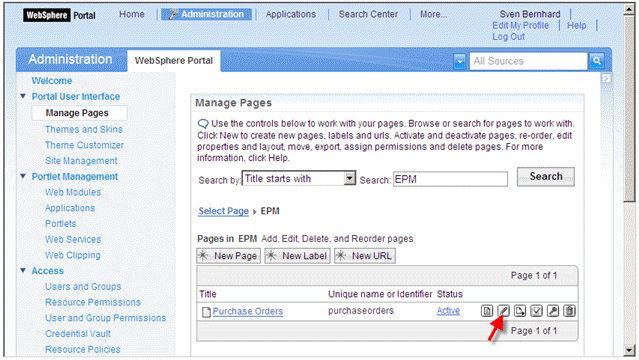 (Edit Page Layout)
On the Edit Layout page you can arrange portlets you want to have embedded into the page. For our purposes we only want to have a single column layout. Click on the single column layout icon and confirm your entries (personalization data get lost) with OK. Then choose Add portlets.
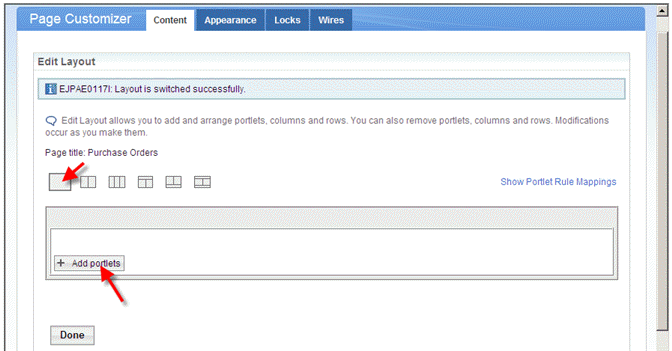 (Add portlets)
Enter the title of the portlet to be added into the Search input field and choose Search. Select the portlet and choose OK.
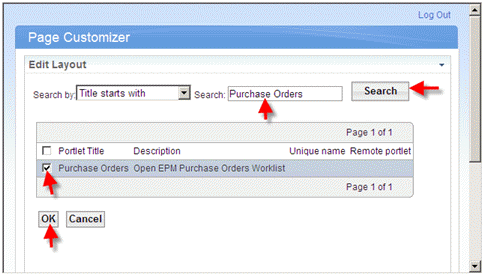 (Search)
Choose Done to finalize the association.