CRASH.03 Crashes in NWBC (While Displaying an HTML Application) 
Symptom
The typical symptoms observed are that a specific click sequence through an application will cause NWBC to crash. The message displayed is roughly of this format: The Instruction at 0x004496e5 referenced memory at 0x0000000. The memory could not be read. Once OK is selected, NWBC is terminated.
If the problem does occur, it is usually limited to specific computers and always within the same place with an HTML-based application. Typically, the problem can‘t be reproduced in a standalone case when the same application is executed directly within the browser.
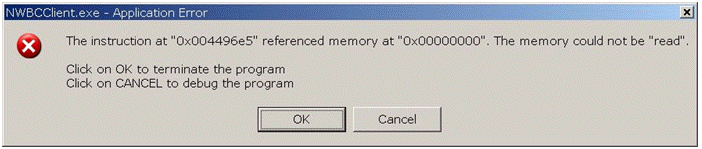 (NWBC error message)
One well-known cause of these problems is related to a timing behavior within the Microsoft Internet Explorer 6 (IE6). Specific sequences of rendered HTML, especially around complex Web Dynpro rendering, can cause the IE6 to crash, which causes then the secondary crash within NWBC.
To isolate the problem more, look at the following aspects:
The crash occurs with a click stream through an HTML-based application
The computer has a Microsoft Internet Explorer 6 installed
Solution
Although it is possible to change the underlying HTML to prevent the crash, this is deemed as extremely difficult to identify the exact HTML construct causing the problem and getting the rendered HTML modified. The recommended approach is to install a newer version of Microsoft Internet Explorer. As a fallback consider to experiment with installing all relevant IE6 fixes, although it is not known whether there exists an IE6 fix for this problem.