CRASH.06 Blue Screen of Death 
Symptom
The typical symptom is a Microsoft Windows (blue) error screen, colloquially called “blue screen of death”, at random times. After such an error screen, it is only possible to switch off the computer and restart.
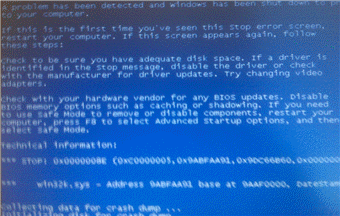 (Blue screen of death example)
Solution
These types of errors are caused by device drivers running in Microsoft Windows kernel mode or by faulty hardware (usually memory). It is not possible for normal user applications to cause such errors. Although it is true that NWBC can trigger the error regularly or randomly, NWBC itself is not responsible for the error. In the typical examples observed, the problems were usually caused by the graphics driver running in kernel mode. The reason for this is that NWBC uses via Windows Presentation Framework (WPF) a lot of “exotic” functionality from the graphics adapter. In this sequence, it is typically the graphics driver itself, running in kernel mode that causes the blue screen error. Recommended as a first step, is to update the graphics drivers to the very latest versions available.
In addition, the blue screen will also list any number of device drivers that were involved in triggering the error, for example win32k.sys. Recommended is to use an Internet search engine and to search for the expression “blue screen of death” plus the name of the device driver causing the error. In most cases many relevant links are returned.
If this does not resolve the problem, please contact your IT team to request that both the hardware and Microsoft Windows installation be reviewed and possibly replaced.