PORTAL.01 The Size of (SAP NetWeaver Portal) iViews is Too Small 
Symptom
When running NWBC for Desktop against a portal server, some iViews are displayed in a small box (height of 300 pixels) and do not use the available canvas size. How can the iView size be increased to use 100% of the width of the canvas?
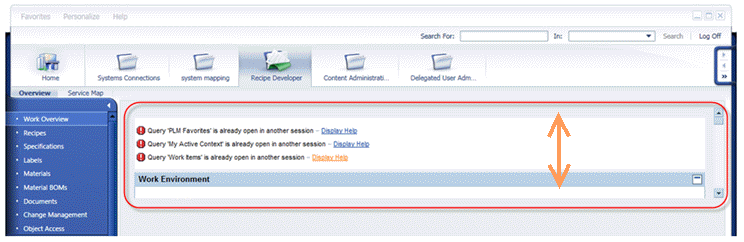 (iView height)
Solution
The reason for this limited height is that the SAP NetWeaver Portal iView has configured a default height to be fixed, with the default value of 300 pixels. Within the Portal Content Directory (PCD), the configuration for the iView must be changed. Change the attribute com.sap.portal.iview.HeightType to have the value FULL_PAGE.