 Entering a GR and Executing a Subsequent Adjustment

Entering a GR and Executing a Subsequent Adjustment
Use
If the vendor delivers the ordered material (finished product), you post the goods receipt for the SC order just as you would the
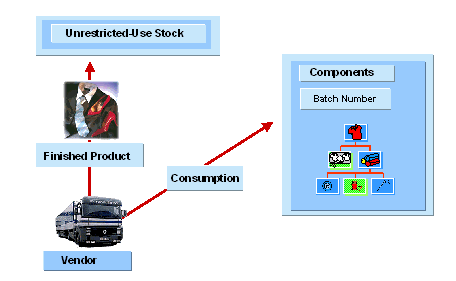
goods receipt for a normal purchase order. The system determines the components for each purchase order item and internally creates a goods issue item for each component. If the vendor reports an excess consumption or underconsumption after the goods receipt has been posted, carry out a subsequent adjustment to correct the component consumption.Entering a Goods Receipt of the Finished Product
The system posts the consumption of the components with the goods receipt of the finished product for an SC order. A goods issue item is then created for each goods receipt item of the finished product. By making a setting in Customizing, you can control that the system automatically posts the SKU data of the components upon goods receipt without you having to copy all of the individual pieces of data. To make this setting in Customizing, choose Materials Management ® Inventory Management and Physical Inventory ® AFS-Specific Global Settings for Purchasing and Inventory Management and select the indicator GI SC stock w/o dial (Goods issue subcontracting stock: Copy without dialog) in the group box Inventory management.

The system can only automatically post the goods issue of the components if the issue quantity of the respective SKU exists in the SC stock.
The goods receipt of the finished product is valuated with the price of the subcontracting service and the value of the consumed components.
Posting a Subsequent Adjustment for Component Consumption
To subsequently correct the component consumption, take the following steps:
If you have set the indicator GR-basedIV (goods receipt-based invoice verification) in the item detail screen of the purchase order, the system proposes the purchase order items of the finished product from the goods receipt without you having to manually enter the header material.
Transfer the goods receipt items for which you want to correct the component consumption and enter the difference quantity and SKUs for each component. In the case of excess consumption, enter a plus quantity, and in the case of underconsumption, a minus quantity.
Post the document. The value of the goods receipt will be increased/decreased by the subsequently adjusted quantity.
AFS Restrictions
Please see the documentation
Subcontracting in Inventory Management for AFS restrictions in Inventory Management.