 Categories

Categories
Use
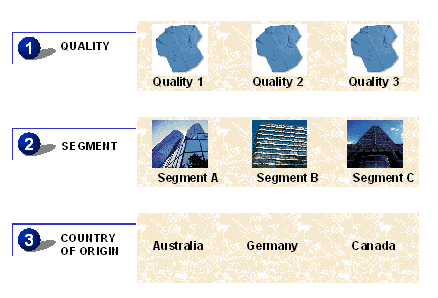
AFS materials are based on a large volume of data. To order this data volume, AFS uses categories. Categories are used to logically segment materials. You can enter a specific schedule line for a material per grid value. You can distinguish a material by color and size, for example. Using categories you can also order the grid values at different quality levels, customer segments, and countries of origin.
Features
There are two types of categories:
Requirements categories are important in Sales, for example in sales orders, planned independent requirements, and dependent requirements.

You can subdivide your requirements into the following criteria: quality and customer segment. Incoming requirements, for example sales orders, are divided by the requested quality 001, 002, or 003, and by customer segment A, B, or C.
Stock categories are used for the logical distribution of the existing and planned stock. Therefore stock categories are assigned both to the physical stock and the procurement proposals, such as planned orders, production orders, purchase requisitions, and purchase orders.
You segment your stock by the same criteria as the requirement, by quality and country of origin, for example. You subdivide your stock into different quality levels 001, 002 or 003 and into countries of origin, for example, Australia, Canada, and Germany.
The categories influence the entire logistic chain. You can include or exclude components in the bill of material or processes from routing on the basis of categories.

The difference between grid values and categories should be emphasized at this point. You assign a certain grid to a material in the material master. The grid values defined here are assigned to this material and do not change during the entire logistic process.
You assign categories to a material using the category 'structure' and the