

 Volume Label Check
Use
You must first
initialize tape volumes before you can use them to back up your Oracle database with BRBACKUP or BRARCHIVE. When BRBACKUP or BRARCHIVE writes to a volume, it first checks the volume label. The following graphic shows the volume label and check: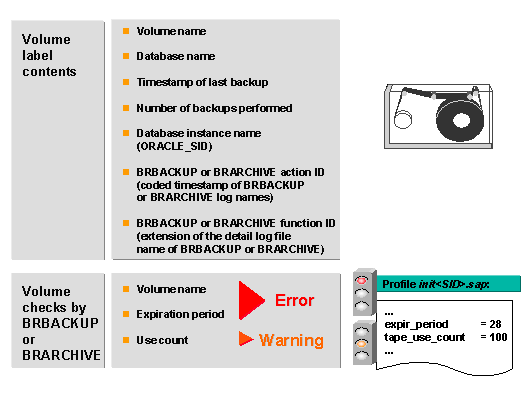
Activities
You can display the contents of a volume label as follows:
brbackup|brarchive -i show -n 1
The volume label is always the first file on a volume. This file has a format specific to BRBACKUP or BRARCHIVE and is written to the volume using
cpio. The label file is called .tape.hdr0.BRBACKUP or BRARCHIVE performs the following volume label checks:
The following volume label information is checked:
An error message (message number BR216X) is issued if you have mounted a volume with an incorrect name. If a
An error message (message number BR217X) is issued if the configured expiration period – number of the days specified in the
A warning message (message BR235W) is issued if the volume has been overwritten more frequently than specified in the