 List Display Options

List Display Options
Click on the ruler in the window on the upper right of your screen to determine list attributes. Several attributes may then be altered in the window on the lower left. You may also place your cursor on a list field and depress the right mouse button. The following context menu appears:
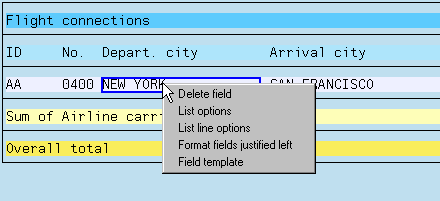
Choose List options and maintain your options in the lower left window. You can change list attributes here by making entries directly. Any entry you make in this window must be confirmed using the Apply pushbutton.
For more information, see:
Headers and Footers List Width (Ruler)