 Line Groups

Line Groups
Use
On the List Line Output Options screen, you can group different lines together to form line groups.
Features
Lines that belong to a common line group are always output together as a block.

Suppose a person has several addresses. Usually, the name of the person is output on the first line. The second line contains the house number and street, and the third line displays the postal code and the city. By grouping lines two and three together to form a line group, you ensure that that they are always treated as a block and output at the same time. Otherwise, for a person with more than one address, you would get a list with all the streets and then all the cities.
The example below shows the formatting of an address list in the application HR:
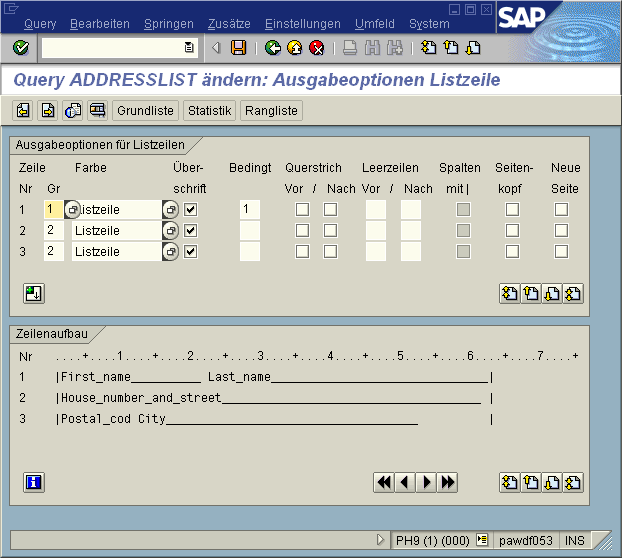
With HR queries, remember that the output in the column Ref. on this screen always refers to line groups. If you want to output lines only under certain conditions, you must define line groups.

The assignment of lines to line groups must be complete. This means that you must either assign all lines or to line groups or assign none at all. In the latter case, however, all lines are considered as belonging to a line group.