 Defining Local Fields

Defining Local Fields
Use
Defining local fields allows you to generate new information from the fields in an InfoSet, without having to include an additional field.

The DEMO_FLBOOKING InfoSet contains a field for distance and a field for flight time. A local field is used to calculate the speed of the journey.
Prerequisites
You are in the Field Selection screen and want to create a new query or change an existing query.
Creating a local field
 and
and  functions to navigate in the Field Selection screen.
The following screen shows the local field described above with the speed of the journey as an example.
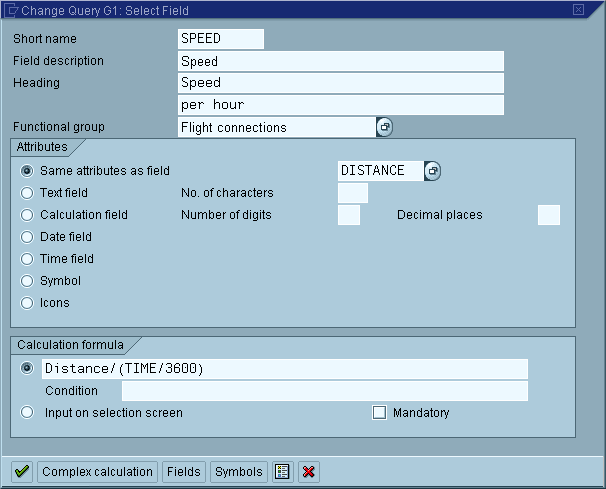
 Dialog Box Field Definition.
 to return to the Field Selection screen.
The field you have defined is now included in the specified field group and can be used on all screens, just like any other field from the InfoSet.
Changing/deleting local fields
To change or delete a local field on the Select Field screen, place the cursor on the local field and choose the relevant function from the Edit menu.

Local fields are only known within the query where they are defined.
See also:
Calculation Formulas
Example: Local Fields