Enter to access the basic data screen for the option. On the
 Structure tab page, enter the actual transaction data for the purchase/sale.
 OTC Options
Procedure
Enter to access the basic data screen for the option. On the
Structure tab page, enter the actual transaction data for the purchase/sale. Possible flow types: Option premium (OTC) or balance sheet-relevant option premium.
8. The following fields must/can be filled with transaction data:
Area: Structure - Exercise date, exercise type and settlement (refer to the unit entitled Basic data - Derivatives).
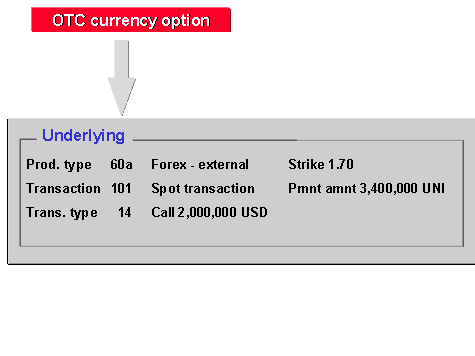
Enter the underlying transaction via Underlying. The fields on the entry screen on the tab page depend on the type of option transaction (product type) - that means that a different entry screen appears depending on the product type.
Enter the values required in the Premium area.
9. Enter the barriers required for knock-in or knock-out options via Edit ® Barriers or via the Barriers button.
10. In order to assign the transaction entered as a counter transaction to an existing transaction, you can use the extra fields in the administrative data. Both transactions are handled separately.
11. In the case of a disclaimer, bost transactions must have notice given on them in the system.
12. You can also branch to the entry screens of general transaction management (
Administration,
Cash flow,
Other flows,
Payment details,
Memos and
Status).
13. In the upper applications toolbar, you have access to further functions via
Extras and
Environment.
14. To save the basic data, choose OTC Option ® Save.
15. Refer to the unit entitled
OTC option.
Prerequisites
Corresponding underlyings are included in the definition of product types. A spot exchange transaction is, for example, defined as an underlying in currency options. In general, underlying transactions are automatically generated in physical exercise. You can enter alternative payment methods for the option due to this separation into two transactions.