 Specifying a Default Language

Specifying a Default Language
Use
You use this procedure to specify a default language for displaying Internet Transaction Server (ITS)
files such HTML templates and flow files. This determines the character set used to display the source code of HTML templates and flow logic in flow files.Prerequisites
You must
install the National Language Pack for Windows NT.Procedure
To specify the default language centrally:
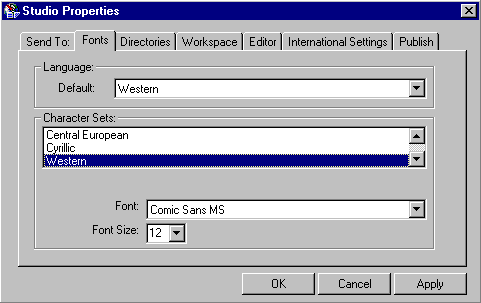
Result
The SAP@Web Studio displays all files in the appropriate character set.

The character set used is important only for language-specific texts that you code explicitly in your HTML templates. If the templates contain language resource keys, you always see these in the HTMLBusiness editor. Text substitution does not occur until the ITS interprets the keys at runtime.
Remember also that the length of the language key depends on the release of your R/3 System: