 Setting Workspace Options

Setting Workspace Options
Use
You use this procedure to set workspace options in the SAP@Web Studio.
You can:
When you start a service in the SAP@Web Studio, a Web browser automatically opens on your machine. By default, the Web browser runs outside the SAP@Web Studio, but it is sometimes useful to run it inside, especially if you want to record and view context data values.
Web browsers that run inside the SAP@Web Studio have a simplified user interface that hides the Web browser toolbars and menu bars.
Procedure
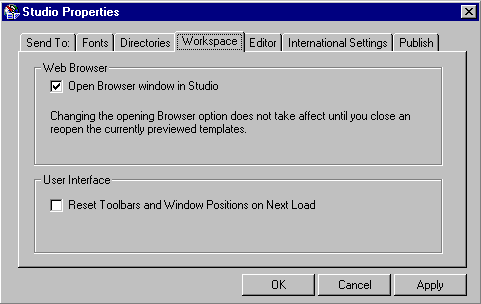

Opening a Web browser inside the SAP@Web Studio works only for Microsoft Internet Explorer 4.0 (or higher).
All other browsers must be opened outside the SAP@Web Studio.