 Creating ITS Projects

Creating ITS Projects
Use
You use this procedure to create a project.
Procedure
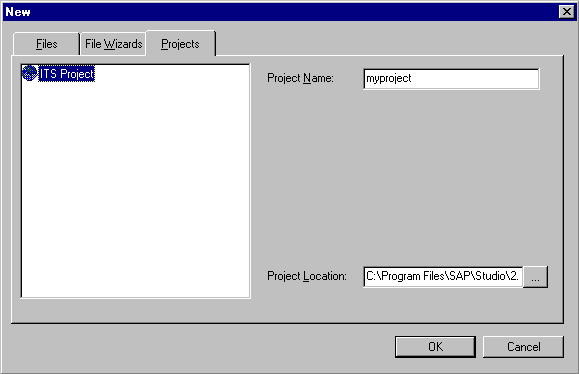
Result
The SAP@Web Studio displays the new project in the Workspace – Project View.
Unless you have specified a
different default project directory, the SAP@Web Studio creates a project directory called <project> and a project file called <project>.itsp on your hard disk under:C:\Program Files\SAP\Studio\2.0\bin\<project>\<project>.itsp