Editing HTML Templates in the Design View

Editing HTML Templates in the Design View
Use
You use this procedure to edit HTML templates in the Design view of the
HTMLBusiness editor.To do this, you can use the functions in the
design toolbar to:Prerequisites
To enable syntax checking and be able to use controls from the SAP General HTMLBusiness Functions Library in HTML templates, you must
import the system and webgui directories explicitly from an ITS Release 4.6D site.Procedure
You see an HTML template with a blue background. If the template is new, it is blank.
You also see the Toolbox and Properties windows.
The Toolbox window contains simple controls and container controls.

You can use any of the controls listed in the TemplateLibraryDHTML directory, but complex elements such as tabstrip controls are not currently supported.
The Properties window contains properties that allow you to edit each control by mapping HTMLBusiness function parameters to object properties.
To ease navigation among nested container controls, use the Select Parent Element function in the design toolbar.
You can switch to the HTML Source view at any time to check the HTML source code.

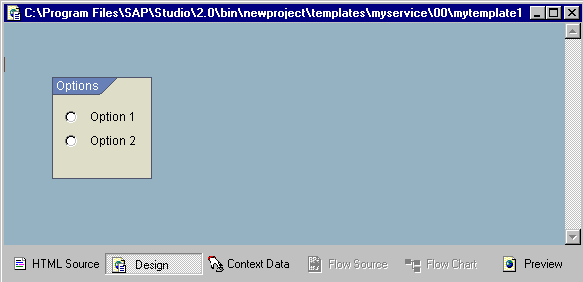
Suppose you want to create a group box called Options that contains two radio buttons called Option 1 and Option 2, as shown in the following graphic: