

 Example 1: Export Master Data to an External System
Task
You want to export HR master data from the SAP System to an external system to be used as a basis for
The following graphic shows how master data is exported into an external system:
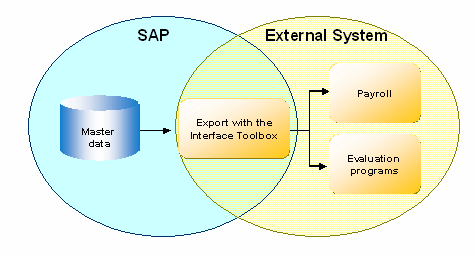
This application example is simple to effect with the Interface Toolbox.

Only master data is taken from the SAP System. No information is transferred from the external system to the SAP System.
Prerequisites
You use the Personnel Administration application component (PA-PA) in your enterprise.
Method
|
Step |
in the SAP System |
In the external system |
|
With the Toolbox
|
The master data and payroll results from the SAP System are in the external system. |
|
The payroll and reporting results are available in the external system. |