

 Request For Budget Increase In The Intranet
Use
You want to enter a budget increase for an order, a network, a network activity, or a WBS element.
You do not know the person who approves this activity.
Features
There are two different scenarios:
The person responsible approves the request. The processor of the request is specified using the role in Customizing and notified by workflow.
For more information on customizing scenarios, see the Implementation Guide (IMG) under Cross-Application Components Õ
Internet / Intranet Services Õ
Internal Service Request Õ
Scenario Definition Õ
 Internal Service Request.
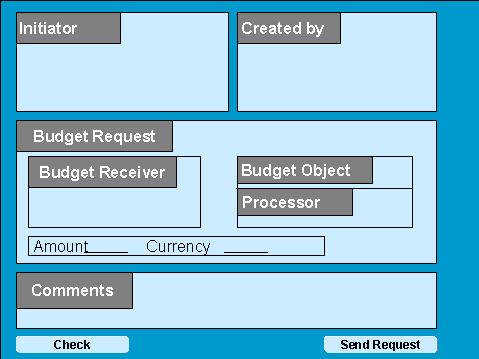
Form for Request for Budget Increase Without Approval
In the form for a request that requires approval, the Processor field is replaced by Person Approving Request.
Activities
The creator of the request calls up the
Internal Service Requestfrom his LaunchPad in mySAP.com Workplace using Create Internal Service Request.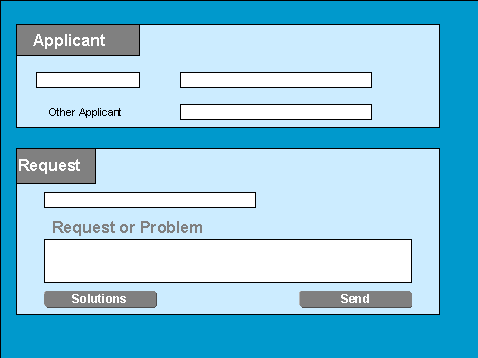
Initial Screen for Internal Service Request
The creator selects the Request for Budget Increase form.
The creator or initiator enters the object, the desired budget increase, and the currency in the form.
If necessary, the system determines the person who approves or processes the message.
The request is forwarded to the relevant person for approval or processing.

The applicant often wants to specify the object to which he wants to post costs included in active availability control. Examples of this are plan data, actual costs and commitments.
The actual budget object can be different to the object entered, and is often unknown or not of interest to the applicant.
See also:
Special Fields for the Form