

 Authorization Checks for Budget Entry
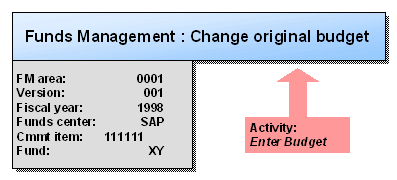
The following scenario represents the sequence of authorization checks on the part of the system using "Enter budget" transaction as an example.
The authorization checks are always executed in relation to the entries you have made. This involves a succession of checks. In connection with this, the user command is executed or otherwise rejected by the system.
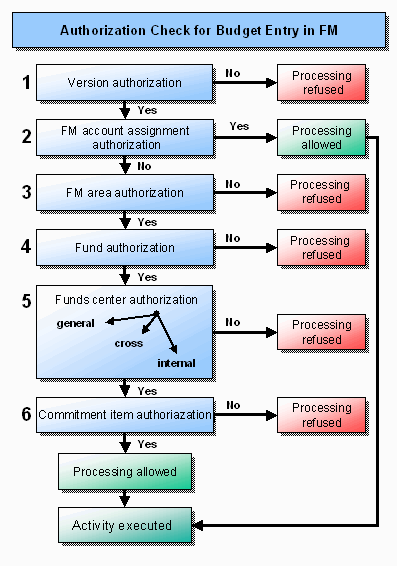
The graphic below illustrates the authorization check run:
Point 1
When you enter a budget version, this authorization is checked first. If you are not authorized for a particular version, the system rejects further processing.
Point 2
If you are properly authorized, the check on the FM account assignment (combination of FM area/commitment item/funds center/fund) subsequently takes place. If there is an authorization group, no further check is conducted and processing can proceed.
Points 3 -5
If you do not have the correct authorization for the FM account assignment, the system checks further authorizations in the sequence FM area, fund, and funds center. In the last of these, the system first checks the general authorization, then the external and internal authorizations.
Point 8
Finally, the check for the authorization group of the commitment item takes place.
See also:
Authorizations Authorization Objects in Funds Management