

 System Configuration Monitor
Use
You can use this monitor to monitor the number of users currently logged on to your system and to obtain important configuration data about the application servers.
Features
Users Currently Logged On
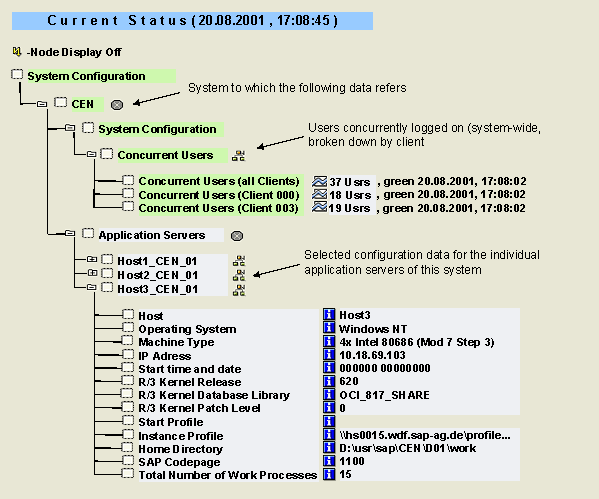
The Concurrent Users monitoring object shows the number of users that are logged on to the system at the same time. The users are counted in accordance with the guidelines for licenses: the system counts the users concurrently logged on for each client. Multiple logons of the same user at the same terminal in the same client are counted only once. Statistics are available as a total for all clients and for each individual client.
The SAP Concurrent User License determines the number of users that can concurrently log on to the system. Check if the displayed number is within the scope of your license, if you are operating your system within the framework of a license of this type.
Configuration of the Individual Application Servers
The monitor displays selected configuration parameters for the individual application servers of a system:
Activities
To start the monitor, follow the procedure below: