

 Top-Down Budget Assignment
Use
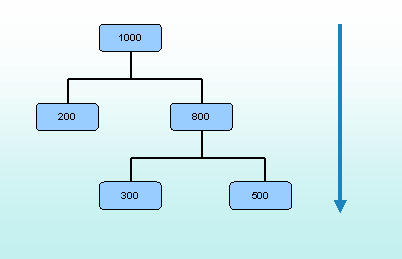
In top-down budget assignment, you can display the available budget of a budget structure element and distribute this among the lower-level budget structure elements.
You specify the budget that is to be assigned to the budget structure element in question using an original budget for monetary budgets (i.e. a monetary amount, say, $ 110,000) or using a budget classification for FTE budgets (e.g. 1.5 full-time equivalents of a position in pay scale 12).

You define a budget for the top budget structure element. Before you assign budgets to lower-level budget structure elements, you can display how much of the budget you can still assign without exceeding the overall budget.
By assigning budgets to budget structure elements, you can finance employees, or the positions in your organizational structure. You do this in the processes
Financing and Budget Allocation.Features
The system summarizes the budgets already assigned at the various levels of the budget hierarchy. Based on whether a budget is a monetary budget or FTE budget, the system displays the budget amount that can still be assigned for a budget structure element.
See also:
Assigning Budgets (Top-Down)