

 Reducing Depreciation (Plan) Using Reversal
The example shows how the system handles reversals during the depreciation simulation, when the depreciation plan amounts are reduced by the capitalizations already made in the current fiscal year.
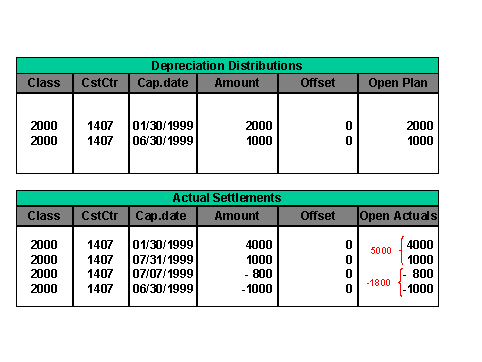
Graphic 1: Creation of Totals
The system adds together posted settlements to create a total. This totaling applies to suitable records from asset class and cost center, also for prior fiscal years. Reversals of settlements are also added together to form a total.
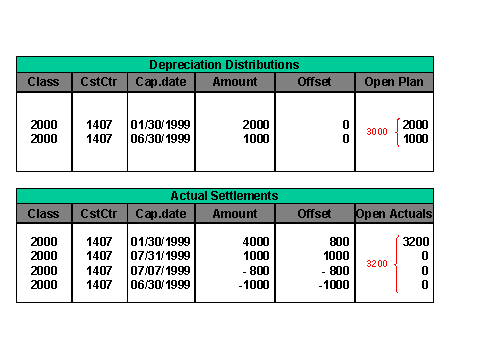
Graphic 2: Calculating the Actuals
The system adds the depreciation values together to form a total. For the actual values, the system subtracts the reversals from the original settlements.
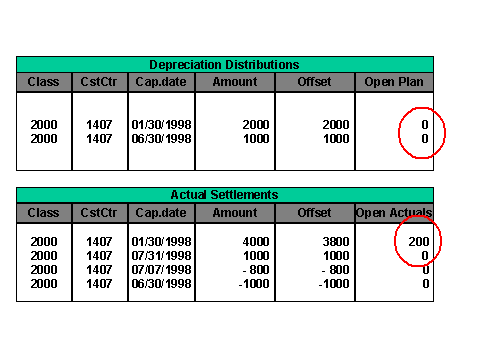
Graphic 3: Reducing Depreciation Plan Values by the Actual Settlements