Entering content frameProcedure documentationSingle Value Analysis: Executing an NPV Analysis Locate the document in its SAP Library structure
  1. Choose Accounting ® Bank Applications ® Risk Analysis ® Market Risk Analysis ® Information System ® Single Value Analyses ® NPV Analysis.
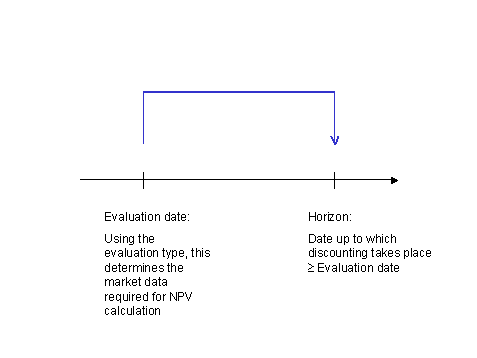
  2. Specify the Display Currency, the Evaluation Type, the Evaluation Date and the Horizon.
  3. This graphic is explained in the accompanying text

  4. On the tab page General Selections specify the financial objects you want to analyze. Note the rules for selecting transactions. You can also use the buttons Only Actual, Only Simulated, Insert Actual and All as input help. The fields Position Number and Number of Simulation Run are then filled in accordance with your selection.
  5. You can further limit the transactions by entering characteristic values on the tab page Characteristics.
  6. On the tab page Report Structure define the structure of the columns in the report.
  1. On the tab page Control Data you define whether a detailed log is to be created or if navigation through the portfolio hierarchy is to be possible.
  2. Choose This graphic is explained in the accompanying text Execute.

Result

The net present values for single financial objects (single transactions, single positions) are calculated. The system can display a maximum of 11 columns. This comprises either 10 scenarios with no differences or 5 scenarios with differences. If you choose more scenarios, the system first ignores the differences, and then it ignores any scenarios chosen after the tenth one.

The detailed log contains the following information:

Leaving content frame