

 Message Functional Areas
Definition
Message functional areas contain groups of time evaluation messages. You can use them to:
Use
Time evaluation can generate a large amount of messages. Sometimes the list of messages can be too long to manage. When Customizing the Time Manager’s Workplace, you can therefore group together message types into message functional areas to suit your business requirements. Message functional areas can be created using the following criteria:

Message functional areas describing similar business-related situations:
For more information about the significance of messages, see
Structure
To structure messages in the message view, you can choose between the following procedures:
The message view is structured according to whether you assign a
processing method to the message types or to the functional areas.
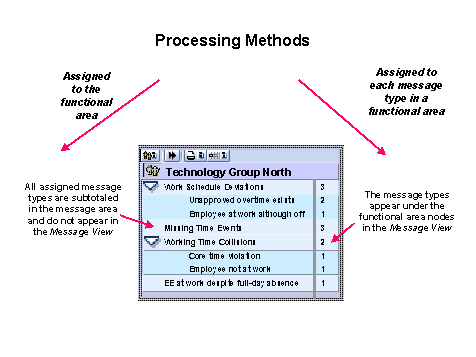
If you want to display all messages of a functional area in the message list, select the functional area in the message view. If you only want to display the messages for a message type, select only the message type.
The individual message types no longer appear in the message view. You always transfer all message types to the message list.
You do not have to assign all message types to a message functional area. Some messages require such specific handling that they can be regarded as special cases. These message types do not need to be assigned to a message functional area. They are displayed in the message view on the same hierarchy level as the message functional areas.